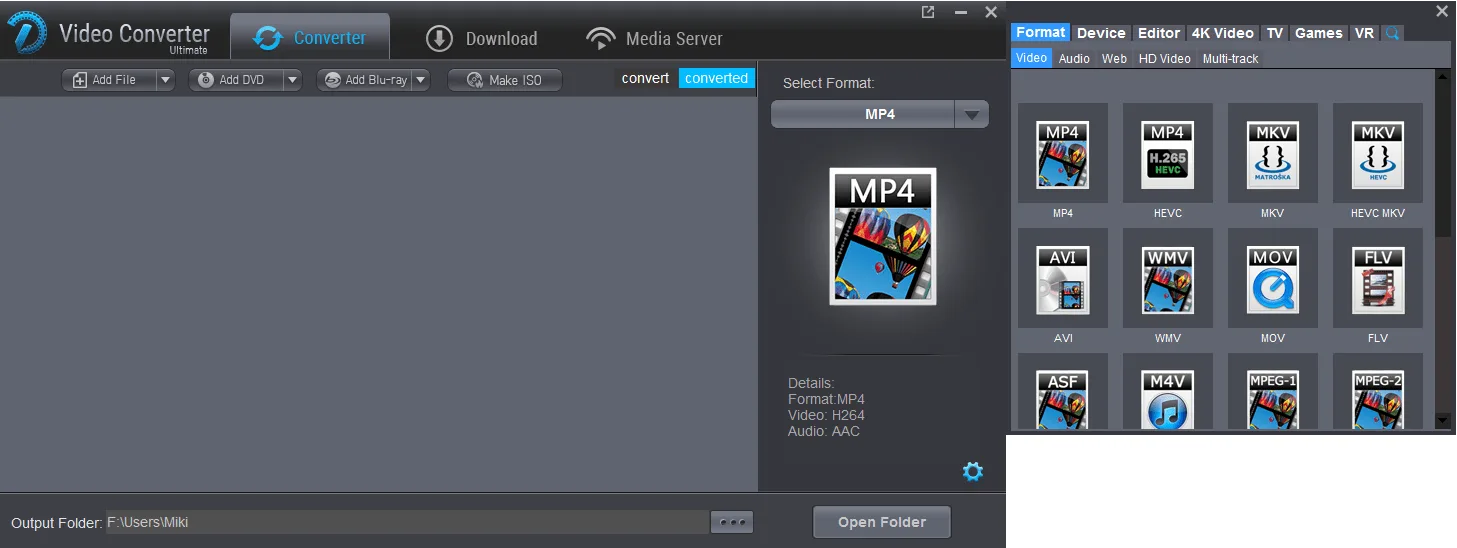
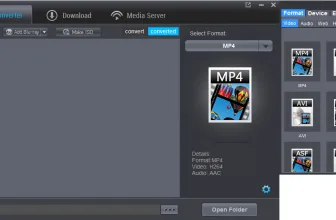
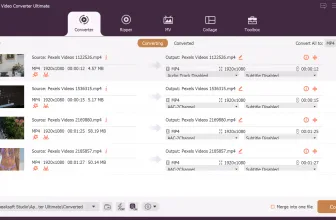
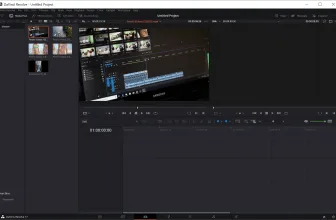
Dimo Video Converter Ultimate is a very reliable and professional media tool that allows you to easily create a backup for your Blu-Ray content, not to mention you can share the content, edit it or convert it if you want. Moreover, Dimo Video Converter Ultimate does a very good job at allowing you to create an ISO file with the content without a problem. There’s always a lot of control over the process, and you are free to modify and adapt the experience the way you choose.
How to Download Dimo Video Converter Ultimate
You can download a macOS or a Windows version of the program by clicking the Download button below the review.
The Program Review
One of the major benefits provided by Dimo Video Converter Ultimate is the fact that it supports H.265 codec encoding. Bringing in this 4k support does make a lot of sense and it also encourages you to push the boundaries by delivering a much better value and a very high quality result. It’s the best of both worlds in most situations, and you will find it to work a lot better than imagined all the time.
Core Features and Workflow in Dimo Video Converter Ultimate 4.6.1
It also helps you mirror the content you see on your device to another device. For example, you can mirror to TVs or mobile devices, and you can also create a 3D cinema experience at home if you choose to do so.
There are so many different ways to use Dimo Video Converter Ultimate that you will always find yourself a bit overwhelmed by the wealth of features and ideas that are being brought to the table. That helps immensely and it certainly provides you with all the benefits and quality that you need every time.
Core Features and Everyday Workflow in Dimo Video Converter Ultimate 4.6.1
For more tested utilities in this category, see our reviews of Movavi 360 Video Editor 1.0.1 and Video Combiner for Windows.
You can feel free to export to the mainstream devices or you can choose to convert to the more popular formats. As always, the possibilities are limitless and the options are always in your hands so you can obtain the utmost value and quality every time.
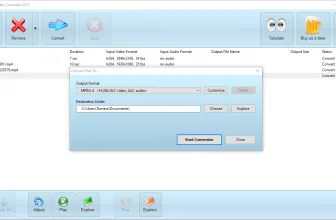
The conversion process is very fast and convenient, with the app delivering very good value and extremely high quality. Mirroring was great too, there’s little to no delay and you can mirror to multiple devices at the same time. That’s very encouraging and rewarding, and you will find it to work in much better ways than imagined.
Dimo Video Converter Ultimate supports all the most important video formats and its updates are always bringing in new formats too. They are also including new codecs with every new version, so you will always have everything supported and ready to go, all you have is to work on it to bring in the best results and experience every time.
With Dimo Video Converter Ultimate you always have access to the best video playback and conversion systems. You have a media server system too, one that provides a very good experience and some great results. You can create and customize your own profile, make ISO files and the conversion speed is very fast too. Simply put, if you want to convert and process video files fast, you may want to give Dimo Video Converter Ultimate a shot today, as it’s well worth a try!
System Requirements & Key Features
Check the baseline Windows hardware specs, developer details, and compatibility profile for Dimo Video Converter Ultimate 4.6.1 before installing.
| Specification | Minimum | Recommended |
|---|---|---|
| Operating System | Windows 7 / 8.1 / 10 (32-bit or 64-bit) | Windows 10 / 11 (64-bit) |
| Processor | 1.0 GHz Intel / AMD Dual-Core | 2.0 GHz+ Multi-Core CPU |
| Memory (RAM) | 2 GB RAM | 4 GB+ RAM |
| Free Disk Space | 57.6 MB installer + 300 MB free space | 1 GB+ SSD free space |
| Developer & License | Dimo Studio (trial) | Latest verified Windows build |
If you want another standout pick to check out next, read our complete IOTransfer 4 review, rating, and official download guide.
Frequently Asked Questions
What is Dimo Video Converter Ultimate 4.6.1 and what are its main features?
Dimo Video Converter Ultimate lets you do all kinds of cool things with your video material. More than its name suggests. Download it now and have a productive time, developed by Dimo Studio.
Which platforms support Dimo Video Converter Ultimate 4.6.1 and how is it licensed?
Dimo Video Converter Ultimate 4.6.1 supports Windows Vista, Windows 7, Windows 8, and Windows 8.1, with an installer package around 57.6 MB available as shareware / free trial. Official downloads and release information are available via mediadimo.com.
What are the main advantages and limitations of Dimo Video Converter Ultimate 4.6.1?
There’s always a lot of control over the process, and you are free to modify and adapt the experience the way you choose.. Overall editorial score: 9/10.