Fancy, cloud-based versions of HTML and text editing software are nice if you can afford the subscription; for the rest of us, though, there’s RJ TextEd, a comprehensive HTML/CSS And Unicode text editor that offers pretty much everything you need to get the job done.
If you’re an old school web developer or programmer, RJ TextEd’s minimalist, even spartan, interface will be a throwback to the good old days while modern users can appreciate the price: Free. While RJ TextEd has a lot of awesome features, it might not be for everyone, but we’ll try to help you get some idea of whether it is right for your needs in this article.
How to Download RJ TextEd
You can download the program by following the button below the review.
The Program Review
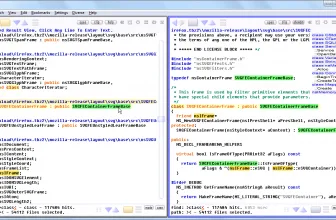
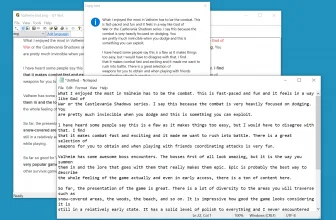
Right off the bat, you realize this is a no-frills piece of editing software. There’s no hiding that. You do get a dual-pane view which is extremely useful in helping you track changes but, outside of that, you’re largely on your own. If you’re old hand at programming or HTML, then this shouldn’t be an issue for you. That said, it still has some features that are really powerful like autocomplete and text search and edit.
Core Features and Workflow in RJ TextEd 15.54
You’ve also got a document map, annotation bar, and multi-edit and multi-select functions alongside code folding, advanced sorting, and compatibility with ASCII and binary files. In the realm of more powerful features, you get FTP and SFTP client with synchronization as well as text clips, file explorer, code explorer, and project manager.
Core Features and Everyday Workflow in RJ TextEd 15.54
Compatible with both Windows and Linux based systems, RJ TextEd is a stable release even if it is shareware. It can handle absolutely massive files and completes imports and exports with ease. If you’re worried about the program crashing in the middle of a big project, you can set those fears aside. Beyond the immediate uses, there is a huge online community that makes sure that RJ TextEdit is up to date and incorporates the features that users want in their software.
That said, there are some problems when accomplishing specific tasks. There are too many instances of an esoteric nature to run through here, but, while frustrating, the one thing that makes RJ TextEdit a great option is that the online forums – as well as the official software FAQ itself – offers up solutions for almost every possible problem you would encounter. If you’re a user that enjoys finding solutions to what is going wrong with something you are trying to do, RJ TextEdit is here to back you up.
While that might sound like a negative, it isn’t. Use any other piece of software and its quirks become immediately apparent. You also quickly realize that you are very much on your own. Having a community of dedicated users to back you up when times are tough is one of the reasons so many of us love shareware, and RJ TextEdit is that kind of community.
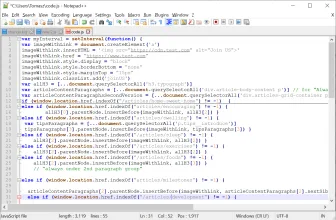
Outside of operational mechanics, the user interface is clean and easy to understand with most functions at your immediate access. You’ll find the stripped-down presentation a breath of fresh air when compared to clunky modern menus and you’ll also notice that it makes work a lot easier in the long run.
System Requirements & Key Features
Check the baseline Windows hardware specs, developer details, and license profile for RJ TextEd 15.54 before installing.
| Specification | Minimum | Recommended |
|---|---|---|
| Operating System | Windows 7 / 8.1 / 10 (32-bit or 64-bit) | Windows 10 / 11 (64-bit) |
| Processor | 1.0 GHz Intel / AMD Dual-Core | 2.0 GHz+ Multi-Core CPU |
| Memory (RAM) | 2 GB RAM | 4 GB+ RAM |
| Free Disk Space | 73 MB installer + 300 MB free space | 1 GB+ SSD free space |
| Developer & License | Rickard Johansson (free) | Latest verified Windows build |
Frequently Asked Questions
What is RJ TextEd 15.54 and what are its main features?
RJ TextEd is a free text editor, which can be used for your note-taking activities and is also a great tool for programmers. If you’re an old school web developer or programmer, RJ TextEd’s minimalist, even spartan, interface will be a throwback to the good old days while modern users can appreciate the price: Free, developed by Rickard Johansson.
Which platforms support RJ TextEd 15.54 and how is it licensed?
RJ TextEd 15.54 supports Windows XP, Windows Vista, Windows 7, and Windows 8, with an installer package around 73 MB available as a free download. Official downloads and release information are available via rj-texted.se.
What are the main advantages and limitations of RJ TextEd 15.54?
Right off the bat, you realize this is a no-frills piece of editing software. Overall editorial score: 9/10.