Download Firewall App Blocker (Fab) 1.9
Firewall App Blocker (Fab) 1.9 free download for Windows: drag-and-drop apps to block or whitelist internet access via Windows Firewall.
The link is further down this page.
Specifications
- Version
- 1.9
- Developer
- SORDUM.ORG
- Developer Website
- www.sordum.org
- Operating System
- Windows Vista, Windows 7, Windows 8, Windows 8.1, Windows 10
- License
- free
- File Size
- 1.11 MB
Our verdict
- Drag-and-drop EXE files to block or allow Windows Firewall access instantly
- Unlocks clean Whitelist Mode so only explicitly approved programs can go online
- Zero extra background firewall driver - relies natively on Windows Defender Firewall
- Only controls per-application Windows Firewall rules, not deep packet inspection
- Windows Firewall service must stay enabled for Fab rules to enforce
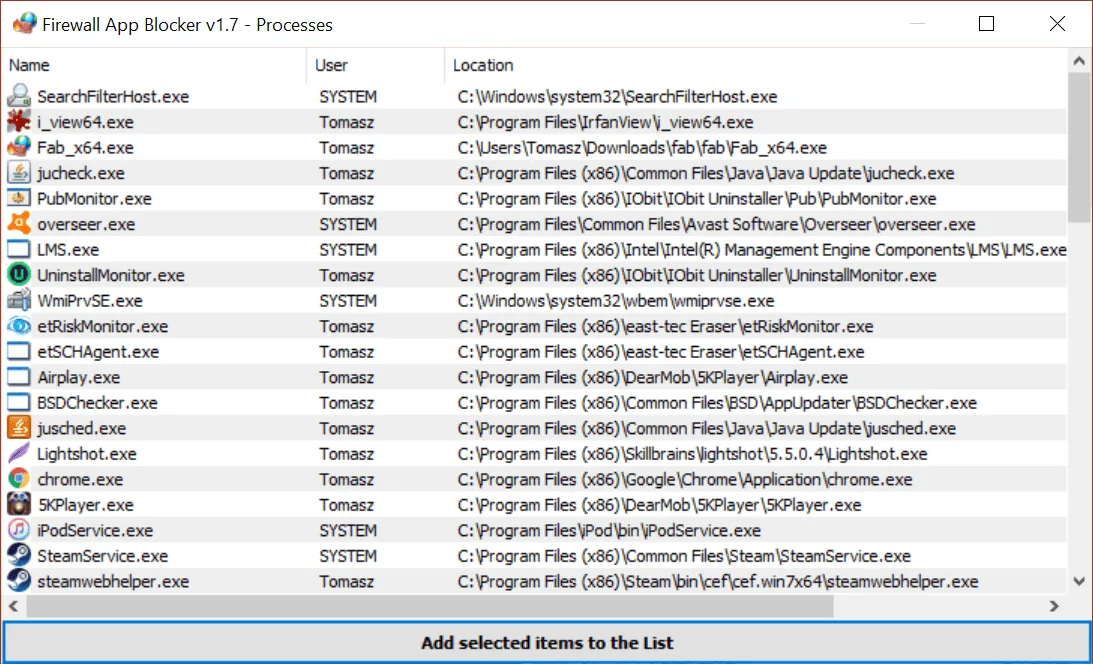
Screenshots


Firewall App Blocker (Fab) 1.9 is available from its official source: sordum.org.
Firewall App Blocker (Fab) 1.9 is developed by SORDUM.ORG and runs on Windows Vista, Windows 7, Windows 8, Windows 8.1 and Windows 10. License: free.
In our review we gave Firewall App Blocker (Fab) 1.9 9/10. It describes the main features, our verdict with pros and cons, and screenshots.
Developer's official website: www.sordum.org.
Download Firewall App Blocker (Fab) 1.9
1 official sourceFull disclosure: MadDownload does not host or sell this title. The button below opens the official service in a new tab, at the address shown under its name. Availability and prices depend on your country.