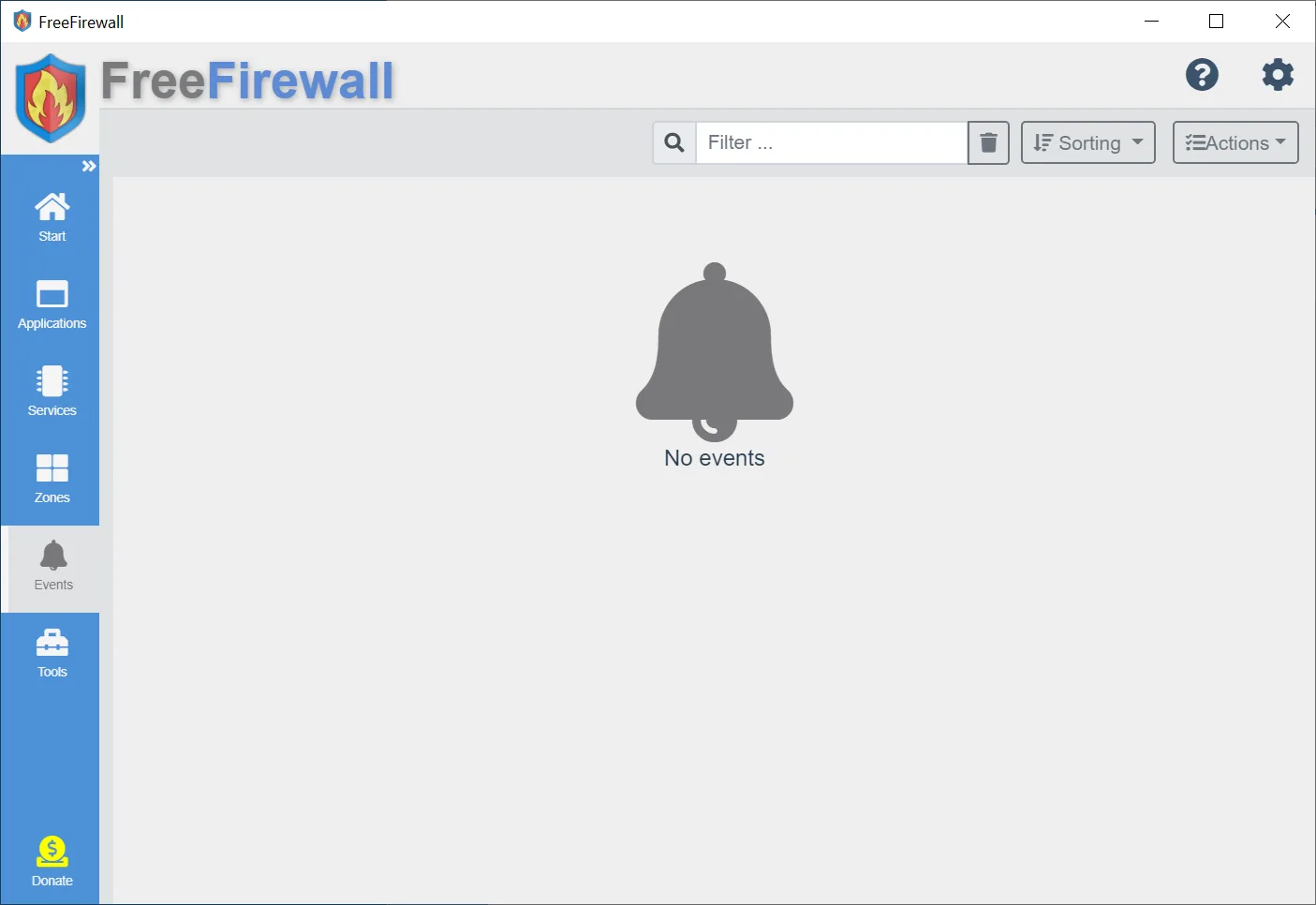
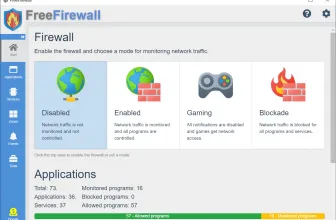
Free Firewall is a comprehensive program that is created by Evorim. The main purpose of this tool is to provide your system protection against different online threats. Moreover, it has a simple interface that can easily be managed by a novice user.
Due to its full-featured functions, you can easily manage your programs and can deny internet access. However, keep in mind that the tool is available for Windows users only.
Sometimes due to multiple apps, we can’t recognize what application asks for internet access, but you don’t have to worry anymore. This software will send you free notifications so you can check which app wants to access the internet. Isn’t it amazing?
How to Download Free Firewall
To download the program, click on the Download button below.
The Program Review
Are you looking for a Firewall that can protect your device? According to a recent study, there are chances that the Firewall Market will grow to $10.5 billion, and this growth will be seen by the year 2025. From that, we can conclude the importance of using Firewall software.
Apart from that, larger and smaller firms are really worried about their security; this is why many companies prefer using Firewall applications to protect their sensitive information.
Therefore, if you want to protect your system from data-based malware threats, it’s imperative to choose the right program. And for that, you can use Free Firewall.
Whether you belong to a small firm or a large corporation, this software will definitely help you. Just download the application, and you are good to go.
How to Use It?
You don’t need any technical expertise when it comes to using it. Just download this software and run it on your device. Make sure to update your programs for better results. Once you are done, enable the firewall and regulate internet access. You can adjust the settings for each program, whether you want to provide access or not.
The Features of Free Firewall
Here are the essential features of this application.
- Notifications
You will immediately get notifications of a non-regulated program and can control it with one click. You can block the access and can also deny it’s permission.
- Protection Against Web Tracking
This tool will help stop the web tracking process, which is a big headache nowadays. Besides that, it will provide you information related to apps running in the background.
- Viruses Detection
It will immediately tell you information about the virus and the main root of it. In this way, you can easily remove it.
- Cooperative Mode
You can use this Firewall with Windows Firewall as well. That means you can get a higher level of protection against threats.
The Advantages of Using Free Firewall
Apart from protecting, this tool has a lot to offer. Below are some benefits of using it.
- You will find a comprehensive solution without paying a single penny.
- It offers professional protection to all types of users.
- You will get advanced features that will help to protect your privacy.
- It detects viruses and sends notifications quickly.
- The interface is not complicated at all.
Final Verdict
Undoubtedly, it is one of the reliable Firewall software that you can find in the market. And the reason is straightforward because it’s free and doesn’t require much expertise. For beginners and professionals, it’s undeniably a good choice.
System Requirements & Key Features
Check the baseline Windows hardware specs, developer details, and compatibility profile for Free Firewall 2.6.2 before installing.
| Specification | Minimum | Recommended |
|---|---|---|
| Operating System | Windows 7 / 8.1 / 10 (32-bit or 64-bit) | Windows 10 / 11 (64-bit) |
| Processor | 1.0 GHz Intel / AMD Dual-Core | 2.0 GHz+ Multi-Core CPU |
| Memory (RAM) | 2 GB RAM | 4 GB+ RAM |
| Free Disk Space | 39.5 MB installer + 300 MB free space | 1 GB+ SSD free space |
| Developer & License | Evorim (free) | Latest verified Windows build |
Frequently Asked Questions
What is Free Firewall 2.6.2 and what are its main features?
Free Firewall is a tool that will keep your computer secure from online intrusions. Download it to control internet access of your programs. Free Firewall is a comprehensive program that is created by Evorim.
Which platforms support Free Firewall 2.6.2 and how is it licensed?
Free Firewall 2.6.2 supports Windows 7, Windows 8, Windows 8.1, and Windows 10, with an installer package around 39.5 MB available as a free download. Official downloads and release information are available via evorim.com.
What are the main advantages and limitations of Free Firewall 2.6.2?
Moreover, it has a simple interface that can easily be managed by a novice user. Overall editorial score: 9/10.