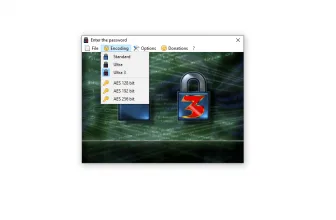
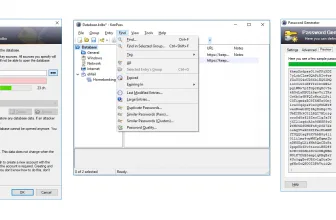
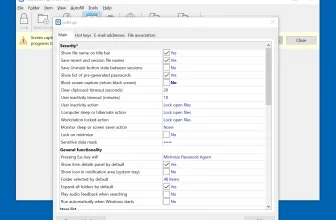
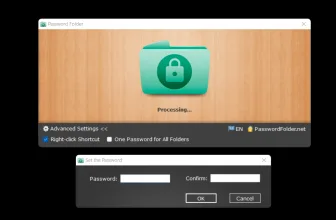
Password Agent is a utility that is created by Moon Software. You can use the free version for almost 20 entries or buy the package to get the license. The main goal of this application is to help you store your password. Yes, you heard us right. It’s a password manager program that makes sure that you can store your passwords in one file.
However, if you want to use it for more entries, you have to buy the paid version. In addition, you don’t need to worry about the web browsers because it’s not web independence and you can easily open it on any web browser. The good thing about this software is that you don’t need to install any plug-ins or extensions to run it.
Let’s look at the in-depth details about this tool and how it can help you manage your passwords.
How to Download Password Agent
To download the program, click on the Download button below
The Program Review
Managing a password is not a tedious task anymore if you know details about the right program. However, there are many apps that provide features related to managing passwords, but it’s important to choose the right one for good results. That is why we have chosen the right program for you that is Password Agent.
If you are looking for a reliable password management program, this one is the ideal choice for you. It has almost all the useful features that are beneficial for beginners. If you want to use unlimited entries per file, you have to go for the premium version.
Furthermore, this tool is clean and comes with flexible configuration settings. You can set the panel according to your requirements. Besides that, you can choose different templates from the panel and can manage them accordingly.
All your passwords will be stored in a password database, but you have to remember the master password to access them. In this way, you can secure your database from prying eyes.
The Key Features of Password Agent
The important key features of the Password Agent are mentioned below.
- Protecting your Sensitive Information
It helps to protect your sensitive information, which means you don’t have to worry about threats anymore. Just set a master password, and you are good to go.
- Autofill Feature
This feature will help you log in to your important websites directly, which means you don’t have to enter the password again.
- Special Fonts
With the help of a special fonts feature, you can easily read the password. Besides, you can also use the generate option, which will help you to generate one master password.
- Cryptographic Primitives
It uses strong cryptographic primitives for encryption. Due to its strong algorithm, it would be difficult for hackers to crack the passwords.
- Adding Information
You can add information on the note box, which will contain important details related to your account, IDs, and Password.
- User-Friendly Interface
The interface is simple and provides all the necessary information on the dashboard. You can see all the details related to accounts.
Final Verdict
We recommend using this password management program because it’s safe to use and doesn’t contain any malicious activities. All you have to do is choose the package, install it, and you are ready to experience something new.
For a complementary desktop tool in the same Windows workflow, check our full review and requirements for JPEG Autorotate 3.30.
System Requirements & Key Features
Check the baseline Windows hardware specs, developer details, and compatibility profile for Password Agent 2026.5.5 before installing.
| Specification | Minimum | Recommended |
|---|---|---|
| Operating System | Windows 7 / 8.1 / 10 (32-bit or 64-bit) | Windows 10 / 11 (64-bit) |
| Processor | 1.0 GHz Intel / AMD Dual-Core | 2.0 GHz+ Multi-Core CPU |
| Memory (RAM) | 2 GB RAM | 4 GB+ RAM |
| Free Disk Space | 7.9 MB installer + 300 MB free space | 1 GB+ SSD free space |
| Developer & License | Moon Software (demo) | Latest verified Windows build |
Users working with this toolset may also benefit from KeePass Password Safe 2.51.1, a practical companion utility built for closely related desktop and workflow tasks.
Frequently Asked Questions
What is Password Agent 2026.5.5 and what are its main features?
Password Agent is a password manager that lets you keep your data in one convenient database. Password Agent is a utility that is created by Moon Software.
Which platforms support Password Agent 2026.5.5 and how is it licensed?
Password Agent 2026.5.5 supports Windows Vista, Windows 7, Windows 8, and Windows 10, with an installer package around 7.9 MB available as free edition. Official downloads and release information are available via moonsoftware.com.
What are the main advantages and limitations of Password Agent 2026.5.5?
The main goal of this application is to help you store your password. Overall editorial score: 9/10.