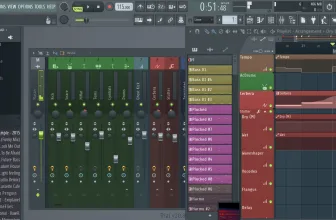
Have you ever wanted to make your own music videos? DJ Mixer Express might be the solution you’ve been looking for in terms of video editing. That’s because it is built from the ground up specifically to produce music videos and content. It is a dynamic, powerful piece of software that goes well beyond what you would expect of something at its price point.
Beyond that, it frees you from the constraints of the subscription-based models pushed by Adobe and others that dominate the video editing space.
Another huge plus associated with DJ Mixer Express? Both Mac and Windows OS compatibility. That’s not only kind of rare (especially on the hyper-competitive Mac side), but it gives producers a lot of flexibility in what system they use and prefer.
How to Download DJ Mixer Express
You can download the program for your Mac or your Windows machine by clicking the Download button below. You should know that there is also DJ Mixer Professional available which is a paid and more feature-rich version of the software.
The Program Review
DJ Mixer Express is marketed as the easiest way available to make music video mixes using what is deemed an “intuitive” and user-friendly interface to do it.
Aside from music videos, you can also make your own karaoke videos.
How’s that for added functionality?
Core Features and Everyday Workflow in DJ Mixer Express 5.8.3
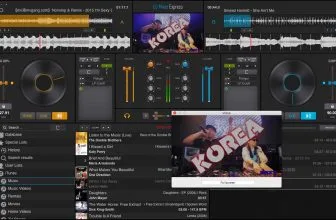
In terms of features, there is an automix function, a waveform visualizer, and loops and cues functions. DJ Mixer Express also has next-generation sync to line up tracks and create seamless transitions. This last feature is really cool and a true lifesaver for people just getting into making their own music videos.
Syncing up video and audio is an art, but DJ Mixer Express makes it a lot easier than you’d think.
Outside of the core functions that every editor needs, the software integrates seamlessly with iTunes and can output directly to it. It also has a vinyl recorder simulator, sound effects, and pitch adjustment all within the interface.
If you’re not sure whether or not the software is the right software for you, there is a trial period that will help you figure that out. For most users, DJ Mixer Express has more than enough features to get whatever you need to get done. It might not be the best for people looking for more advanced functions or those who want to try something a little more complex within their editing software.
Interface Clarity, Speed, and Windows Compatibility
But as far as music video editing goes, it is a solid program. You get two to four decks, a litany of advanced controls, and a streamlined interface for bringing everything together into a professional package.
The program is easy to use though it is probably much easier for people that have had some experience with audio and video editing software. The help file is useful but won’t really clue you in on some of the program’s most powerful features. You’ll have to discover those on your own or learn through YouTube videos on how to get the most out of the tool.
That said, the application is a solid choice that is perfect for almost every basic application we can think of in terms of music video and karaoke video production. If you want something more powerful, you’ll probably have to shell out serious money for software or sign up for an expensive Adobe subscription. DJ Mixer Express eliminates the need to do this and, for most users, that will be more than enough.
System Requirements & Key Features
Check the baseline Windows hardware specs, developer details, and compatibility profile for DJ Mixer Express 5.8.3 before installing.
| Specification | Minimum | Recommended |
|---|---|---|
| Operating System | Windows 7 / 8.1 / 10 (32-bit or 64-bit) | Windows 10 / 11 (64-bit) |
| Processor | 1.0 GHz Intel / AMD Dual-Core | 2.0 GHz+ Multi-Core CPU |
| Memory (RAM) | 2 GB RAM | 4 GB+ RAM |
| Free Disk Space | 46 MB installer + 300 MB free space | 1 GB+ SSD free space |
| Developer & License | MacDJMixer.com (free) | Latest verified Windows build |
Frequently Asked Questions
What is DJ Mixer Express 5.8.3 and what are its main features?
DJ Mixer Express is a free program for musicians who want to mix music and video. Download it now and unleash your creativity. H ave you ever wanted to make your own music videos?, developed by MacDJMixer.com.
Which platforms support DJ Mixer Express 5.8.3 and how is it licensed?
DJ Mixer Express 5.8.3 supports Windows XP, Windows Vista, Windows 7, and Windows 8, with an installer package around 46 MB available as a free download. Official downloads and release information are available via macdjmixer.com.
What are the main advantages and limitations of DJ Mixer Express 5.8.3?
That’s because it is built from the ground up specifically to produce music videos and content. Overall editorial score: 9/10.