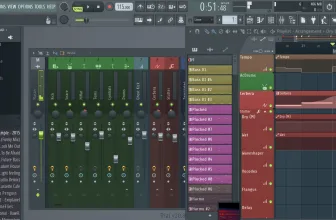
Music is what unites us, it is the very glue of society and the makes of VirtualDJ know it. There is a reason why you and I are drawn to musicians, producers, and DJs. Everyone wants to make music, that’s why we create playlists, and mixtape mashes of our favorite songs. The innate human desire to express ourselves musically is everlasting. What if I told you that you could take your love for music to a whole new level? What if you knew you could create your own music at your convenience? Yes, your music experience just got a whole lot wider with the NEW, and groundbreaking VDJ.
How to Download VirtualDJ
To download the latest version of VirtualDJ click on the Download button below. Choose between the macOS and Windows versions. You can also explore our full guide and specs for Total Commander 11.58.1.
Musician’s Dream Come True
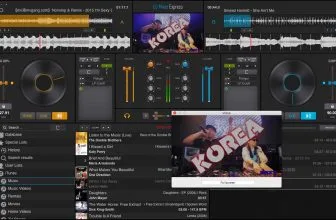
What is the VirtualDJ, you might ask? Virtual DJ is computer software that allows artists and enthusiasts a chance to mix and mash audio and videos and create their own masterpiece.
VirtualDJ provides a way for DJs and musicians to stream their music mixes and mashes straight to the internet. VDJ 8 comes with an inbuilt radio server, which means DJs and general music enthusiasts are equipped to stream right from their laptops.
How exactly can VirtualDJ get all the songs you require for your mixes? Well, it’s quite simple. With your permission after your software download, the software has access to all the tracks on your music folder, the music on your iTunes, and for specific tracks, Virtual DJ allows you to drag files right from your computer. No worries, you can mix and mash all you want! There are no limits to the number of files that VirtualDJ can handle. If you desire a mix of 20 songs, the program is more than equipped to handle it.
Can you imagine being a DJ and having to carry all those wires and equipment every time you are performing at an event? With VDJ, you can say goodbye to wires and heavy audio mixing consoles, mixers, controllers and sets. All you truly require is your laptop, and you’re ready to go.
VirtualDJ 8 is a roaring success among DJs, music lovers, and critics. In both 2010 and 2013, at the Annual International Dance Music Awards in Miami, Florida, the award for Best DJ Software was given to Virtual DJ. In addition to awards, the software has received so countless positive feedback ever since and can ensure you will love this new way of experiencing music, and the unlimited creativity, to mix your favorite songs, and also to new sounds.
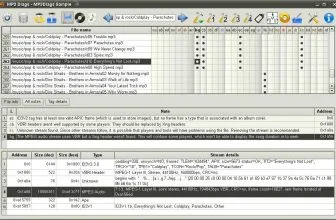
For more tested utilities in this category, see our reviews of MP3 Diags and MediaMonkey V5 for Windows.
System Requirements & Key Features
Compatibility & Requirements: Requires 64-bit Windows 10/11 or macOS 11+, Intel Core i5 / AMD Ryzen 5 (4 GB+ RAM; 8 GB & NVIDIA/AMD GPU recommended for real-time Stems), ~500 MB storage.
Live Mashups Using AI Stems 2.0 Separation
Performance pads mute drums or pull clean acapella vocals out of standard stereo MP3s mid-transition without pre-preparing studio stems.
Club Hardware Plug-and-Play and Video Output
VirtualDJ auto-loads HID screens and jog LEDs across major decks while offering karaoke, visualizer shaders, and screen recording alongside top audio editors. Users building a complete toolkit also explore Pro Tools in our software library.
For a complementary desktop tool in the same Windows workflow, check our full review and requirements for Microsoft Office Professional 2016.
For a complementary desktop tool in the same Windows workflow, check our full review and requirements for Avast Free Antivirus.
For a complementary desktop tool in the same Windows workflow, check our full review and requirements for Red Button 7.0.
You may also appreciate our detailed comparison, ratings, and setup notes for Huawei HiSuite 14.0.0.380.
For a complementary desktop tool in the same Windows workflow, check our full review and requirements for Tenorshare UltData for Android.
System Requirements & Key Features
Check the baseline Windows hardware specs, developer details, and compatibility profile for VirtualDJ 2025 before installing.
| Specification | Minimum | Recommended |
|---|---|---|
| Operating System | Windows 7 / 8.1 / 10 (32-bit or 64-bit) | Windows 10 / 11 (64-bit) |
| Processor | 1.0 GHz Intel / AMD Dual-Core | 2.0 GHz+ Multi-Core CPU |
| Memory (RAM) | 2 GB RAM | 4 GB+ RAM |
| Free Disk Space | 40.2 MB installer + 300 MB free space | 1 GB+ SSD free space |
| Developer & License | Atomix Productions (free) | Latest verified Windows build |
For a complementary desktop tool in the same Windows workflow, check our full review and requirements for PDF-Tools 11.1.2.0.
For a complementary desktop tool in the same Windows workflow, check our full review and requirements for Vidmore Player.
For a complementary desktop tool in the same workflow, check our full review and requirements for Speedy Painter 3.6.6.
Frequently Asked Questions
How do I download the latest version of VirtualDJ 2025?
Click the green Download button on this page to get the official installer for VirtualDJ 2025.
Which operating systems support VirtualDJ 2025?
VirtualDJ 2025 runs on Windows PC; check our specification box below for exact system details.
Is VirtualDJ 2025 safe to install on my computer?
Yes, downloading VirtualDJ 2025 from verified vendor links ensures a clean, authentic installation package.
What makes VirtualDJ 2025 useful?
Rated 10/10 in our review, VirtualDJ 2025 combines practical tools with an approachable interface for everyday workflows.