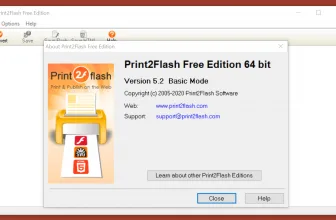
Print2Flash is an easy converter that lets you convert a printable document of any type into an Adobe Flash file, an HTML page, or an SVG File. Document files like MS Word, PowerPoint presentations, Excel spreadsheets, and Adobe PDF files can be quickly converted with this useful utility. The reason why this software is useful is that sometimes the other person does not have any particular program to open a Word file. In that case, this tool can easily convert those documents into files that can be run virtually on web browsers or Adobe Flash Player.
The good thing about this platform is that the files converted can easily be uploaded on any web platform where thousands of people can access them without any hassle. Not just this, but such documents can also be opened on a mobile browser.
Let’s see what other utilities this program has been providing to its customers.
How to Download Print2Flash
To download Print2Flash you need to click on the Download button that is located below this review.
The Program Review
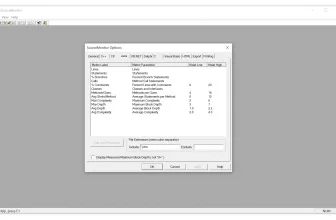
Print2Flash is diverse. It provides excellent accessibility to documents. Now you don’t need to install Microsoft Word or PowerPoint to view your documents and presentations. Install this software, and it will convert your files with just one click. For another handy utility worth testing on your PC, take a look at SourceMonitor 3.5.16.62 and browse its full feature breakdown.
Core Features and Workflow in Print2Flash 5.2
Performance, Usability, and Final Verdict
System Requirements & Key Features
Check the baseline Windows hardware specs, developer details, and compatibility profile for Print2Flash 5.2 before installing.
| Specification | Minimum | Recommended |
|---|---|---|
| Operating System | Windows 7 / 8.1 / 10 (32-bit or 64-bit) | Windows 10 / 11 (64-bit) |
| Processor | 1.0 GHz Intel / AMD Dual-Core | 2.0 GHz+ Multi-Core CPU |
| Memory (RAM) | 2 GB RAM | 4 GB+ RAM |
| Free Disk Space | 15.2 MB installer + 300 MB free space | 1 GB+ SSD free space |
| Developer & License | Print2Flash Software (free) | Latest verified Windows build |
If you want another standout pick to check out next, read our complete Slimjet 35.0.1.0 review, rating, and official download guide.
Frequently Asked Questions
What is Print2Flash 5.2 and what are its main features?
Print2Flash is a program that lets you convert printable documents to Flash files, HTML documents, or SVG files,. Print2Flash is an easy converter that lets you convert a printable document of any type into an Adobe Flash file, an HTML page, or an SVG File, developed by Print2Flash Software.
Which platforms support Print2Flash 5.2 and how is it licensed?
Print2Flash 5.2 supports Windows XP, Windows Vista, Windows 7, and Windows 8, with an installer package around 15.2 MB available as a free download. Official downloads and release information are available via print2flash.com.
What are the main advantages and limitations of Print2Flash 5.2?
The reason why this software is useful is that sometimes the other person does not have any particular program to open a Word file. Overall editorial score: 9/10.
This utility program is available on Windows. You can convert your documents using this software on Windows XP, Vista, 7, 8, and 10. You can also run it on Windows 2003, 2012, and 2016 servers, respectively.
Even though you can only convert the files from Windows, it doesn’t mean that the converted files will only run on Windows. It can run on Mac, Linux, Mobile browser, or any other supported OS.
The commercial edition is available for 30 days of use for its users. It expires after this time, and you have to register so that you can continue using its services.
The Key Features Of Print2Flash
Below are some of the key highlights of this program:
Compact Size
This software can reduce the bit size of a document to a great extent. A 10 MB .ppt file can be converted into a 1MB file using the converter.
Ready To Send
The files converted from this application are ready to be sent to their destined recipient. Due to the small size and easy-upload mechanism, it doesn’t over-populate your Email and is quickly sent from sender to receiver.
No Barrier
This converter has a built-in Firewall-friendly tool that makes these files gain easy access from any Firewall. The fact that these are web files makes the process more rapid.
Security Measures
If you are worried that someone will edit your documents, don’t worry, as this tool will also provide you with document protection. No one will be able to copy your document or make any unauthorized edits to it.
Saves Pages
This software is the ultimate nature-friendly solution to save pages and view documents in electronic formats.
The Bottom Line
Print2Flash is a quick way to transform your hefty MS Word and other types of documents into simple web pages. The software is not tricky, all is present in front of you, and you only need to choose and convert with a simple tap.