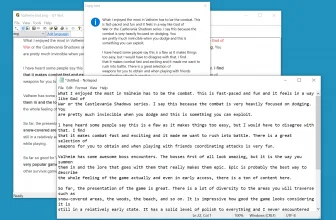
EF Talk Scriber is a useful tool that is created by EFSoftware (the makers of EF Commander and many other useful tools). This tool works as a text editor and an audio file player. Apart from that, it comes with useful features that make sure that you can type words easily. The primary purpose of this tool is to help you transform audio into text, which you can export for later use. The tool uses the audio feedback feature and helps you to create a wide range of texts. However, the tool can be a bit complicated for the first time, but once you start to use it, you can easily understand it’s working.
In addition, the tool provides clear audio sound, so you can easily listen to the audios and can write down the words correctly. This program works as an audio player and text editor too.
How to Download EF Talk Scriber
To download the program, hit the Download button located below this review.
The Program Review
It’s a lightweight program that helps to provide both features of an audio player and a text editor. You can listen to the audio file and can type the text at the same time. In addition, the working of the tool is simple but can be a bit complicated for the first time.
The benefit of using this tool is that you don’t have to use a separate audio player when you are typing. You can play an audio file and can write the text at the same time. This process will save you a lot of time and effort as well.
For more tested utilities in this category, see our reviews of Batch WORD to JPG Converter and Convert.NET 10.6.9103 for Windows.
System Requirements & Key Features
Check the baseline Windows hardware specs, developer details, and compatibility profile for EF Talk Scriber 26.10 before installing.
| Specification | Minimum | Recommended |
|---|---|---|
| Operating System | Windows 7 / 8.1 / 10 (32-bit or 64-bit) | Windows 10 / 11 (64-bit) |
| Processor | 1.0 GHz Intel / AMD Dual-Core | 2.0 GHz+ Multi-Core CPU |
| Memory (RAM) | 2 GB RAM | 4 GB+ RAM |
| Free Disk Space | 731 KB installer + 300 MB free space | 1 GB+ SSD free space |
| Developer & License | Dipl.-Ing. Emil Fickel, EFSoftware (demo) | Latest verified Windows build |
Frequently Asked Questions
What is EF Talk Scriber 26.10 and what are its main features?
EF Talk Scriber is a simple text editor with a built-in audio player, whcih is perfect for transcriptions. EF Talk Scriber is a useful tool that is created by EFSoftware (the makers of EF Commander and many other useful tools), developed by Dipl.-Ing. Emil Fickel, EFSoftware.
What operating systems does EF Talk Scriber 26.10 support and how large is the installer?
EF Talk Scriber 26.10 supports Windows, with a compact package size of roughly 731 KB. Official downloads and release information are available via efsoftware.com.
What are the main advantages and limitations of EF Talk Scriber 26.10?
Apart from that, it comes with useful features that make sure that you can type words easily. Overall editorial score: 9/10.