east-tec Eraser app helps you to protect your personal data and keep your computer clean of unnecessary information. These days computers have become the main tool necessary to carry out your jobs perfectly. As a result of which you spent most of your time on it. However, the real problem is your online privacy. It is important to keep an eye on your computer’s health status.
Although antivirus programs are good, they don’t provide the full protection which you are looking for. Because they cannot detect numerous residue files that can become a threat when they pile up and clog your computer, but the good thing is you can use applications like east-tec Eraser. This modern application has a visually appealing interface that is easy to use.
How to Download east-tec Eraser
To download the program, click on the Download button that is located below this review/
The Program Review
Being a privacy protection application, east-tec Eraser app can help you to protect your personal data. Moreover, it provides protection both online and offline by deleting all the files containing your history on the internet. You can keep your PC clean by erasing hundreds and thousands of unnecessary files.
Consequently, it can improve your computer performance and increase your level of security. Using this app in your daily internet activities can help to keep you safe both online and offline. Readers comparing specialized desktop utilities often check Firewall App Blocker (Fab) 1.9 alongside our other Windows software guides.
System Requirements & Key Features
Check the baseline Windows hardware specs, developer details, and compatibility profile for east-tec Eraser 13.3 before installing.
| Specification | Minimum | Recommended |
|---|---|---|
| Operating System | Windows 7 / 8.1 / 10 (32-bit or 64-bit) | Windows 10 / 11 (64-bit) |
| Processor | 1.0 GHz Intel / AMD Dual-Core | 2.0 GHz+ Multi-Core CPU |
| Memory (RAM) | 2 GB RAM | 4 GB+ RAM |
| Free Disk Space | 15.9 MB installer + 300 MB free space | 1 GB+ SSD free space |
| Developer & License | East-Tec (trial) | Latest verified Windows build |
If you want another standout pick to check out next, read our complete SpringPublisher 5.0 review, rating, and official download guide.
Frequently Asked Questions
What is east-tec Eraser 13.3 and what are its main features?
east-tec Eraser is a security tool that lets you remove any files that you don’t want to store on your PC thus protecting your privacy. east-tec Eraser app helps you to protect your personal data and keep your computer clean of unnecessary information.
Which platforms support east-tec Eraser 13.3 and how is it licensed?
east-tec Eraser 13.3 supports Windows XP, Windows Vista, Windows 7, and Windows 8, with an installer package around 15.9 MB available as shareware / free trial. Official downloads and release information are available via download.east-tec.com, Amazon, and east-tec.com.
What are the main advantages and limitations of east-tec Eraser 13.3?
As a result of which you spent most of your time on it. Overall editorial score: 9/10.


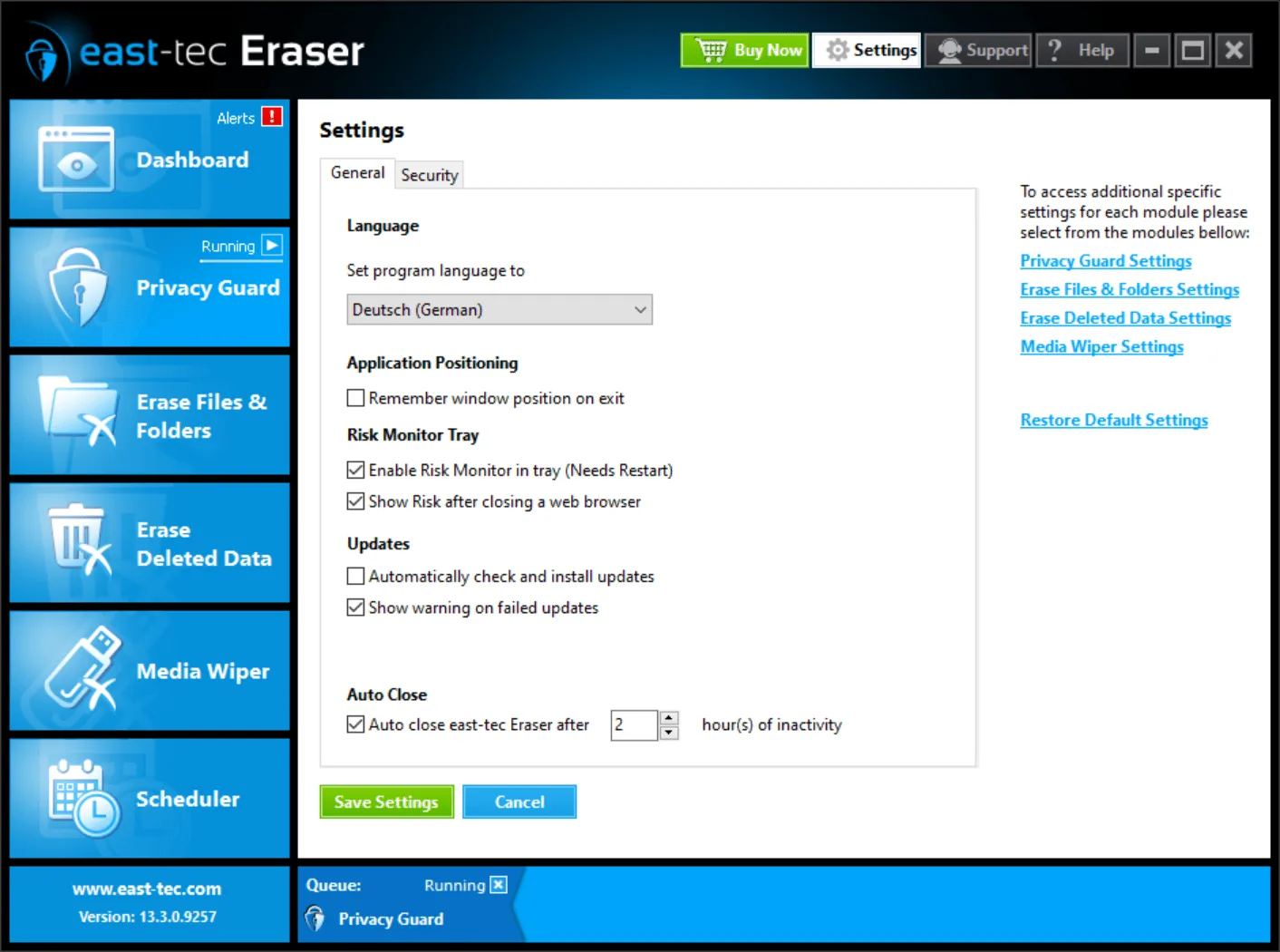


Moreover, it comes with an appealing interface that is easy to manage and anyone can learn it easily. To access its feature, go to its side panel and select the option you want to use.
The Key Features of east-tec Eraser
In case you still have some doubts about east-tec Eraser, then have a look at its features. Once you learn about its functions, you will surely get convinced of how useful this software is. Its main features include:
1. Protect Online Privacy
This useful software can help you protect your online privacy as it can erase files without your approval, like internet history, pictures, or Web Pages from all the sites you have visited on the internet.
2. Erase Beyond Recovery
There are times when the normal deletion process is not safe even after you deleted all files because some information still remains there. However, with this feature, east-tec Eraser can destroy all confidential information that can not be recovered.
3. Clean your Favorite Browser
It can work exceptionally well with all your favorite browsers. Therefore, ensuring your privacy by deleting files that contain your internet history, address bar locations, unwanted cookies, visited web pages, and more.
4. Erase Files Permanently
By deleting thousands of unnecessary and temporary files, it can definitely improve your system performance. Moreover, these files will be permanently removed, and thus no one can recover them. It provides both online and offline privacy protection.
5. Automatic Protection
You don’t have to do anything manually; this app can automatically clean your computer, providing online and offline privacy. Just use a built-in scheduler to clean all traces of your online activity. This process will protect all your confidential information.
Final Words
east-tec Eraser protects your privacy when you use the internet. Moreover, it has some of the most useful features that make this program exceptionally good. So, if you are concerned about your privacy, do try this utility for best results.