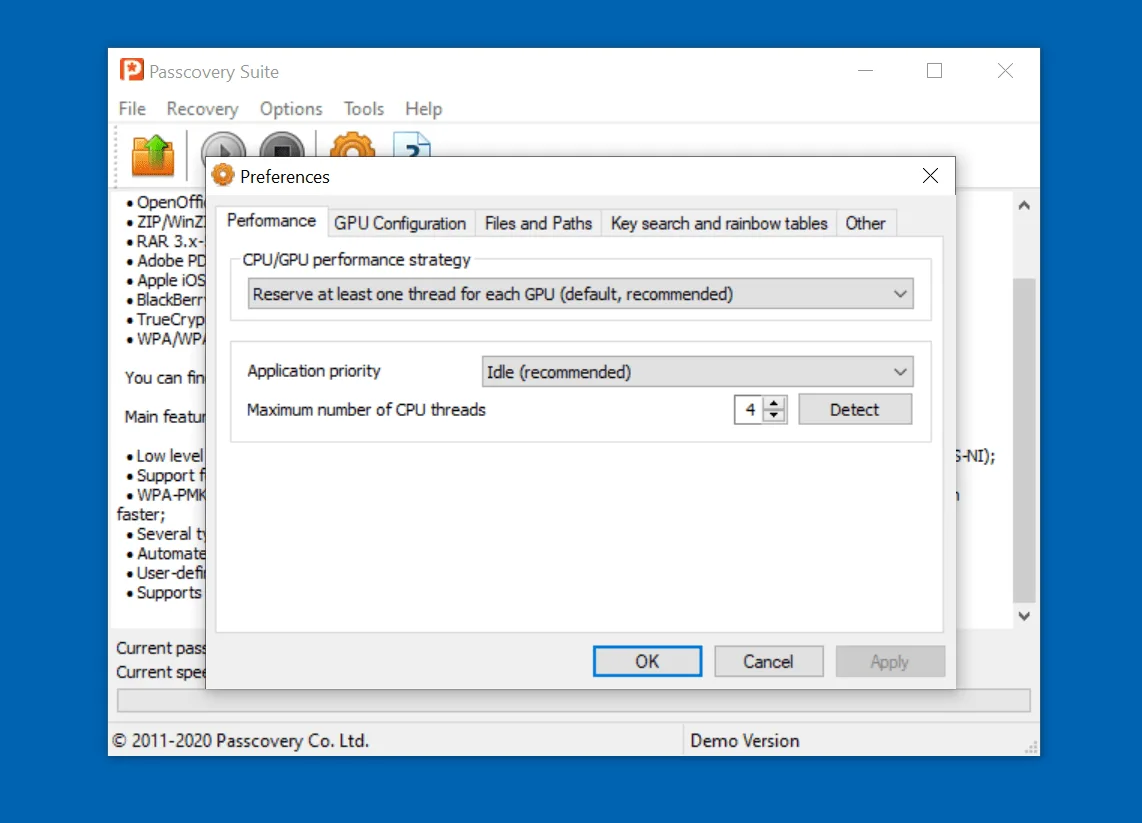
Passcovery Suite contains a unique function that helps to recover the password of different file formats. It provides the fastest speed so that you can get access to your files within a few seconds. Plus, this app provides support for different formats, including MS Access, MS PowerPoint, MS Excel, and many more. You can recover the password of Rar, Zip, and Adobe PDF as well.
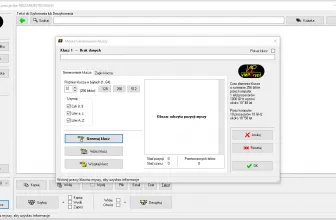
Furthermore, it also provides support for Apple iOS and Blackberry OS. This application works well with algorithms too. The famous ones that it supports include WPA and WPA2 handshake hash. You don’t have to do much while using it because it has a clean dashboard from where you can find all the important details.
Whether you are running it on AMD or Intel, it assures you good performance by providing the fastest speed. Let’s have a look at its other features.
How to Download Passcovery Suite
To download a demo of Passcovery Suite, click on the Download button below this review.
The Program Review
Recovering the password of various file formats can be a tedious task. Besides, it becomes more complicated when your files are corrupted, and you can’t get them back. However, it’s time to change your software because Passcovery Suite will resolve your issues in no time. For another handy utility worth testing on your PC, take a look at Firewall App Blocker (Fab) 1.9 and browse its full feature breakdown.
Core Features and Workflow in Passcovery Suite 25.04.48.4221
Passcovery Suite 25.04.48.4221 delivers consistent craftsmanship across its main experience, rewarding close attention to detail.
Performance, Usability, and Final Verdict
Overall, Passcovery Suite 25.04.48.4221 remains a well-balanced recommendation in its category with verified access details on this page.
System Requirements & Key Features
Review the Windows desktop compatibility baseline and recommended setup specifications for Passcovery Suite 25.04.48.4221 below before downloading.
| Specification | Minimum | Recommended |
|---|---|---|
| Operating System | Windows 7 / 8.1 / 10 (32-bit or 64-bit) | Windows 10 / 11 (64-bit) |
| Processor | 1.0 GHz Intel / AMD Dual-Core | 2.0 GHz+ Multi-Core CPU |
| Memory (RAM) | 2 GB RAM | 4 GB+ RAM |
| Free Disk Space | 500 MB free disk space | 1 GB+ SSD free space |
| Developer & Source | passcovery.com | Latest verified Windows build |
Frequently Asked Questions
What is Passcovery Suite 25.04.48.4221 and what are its main features?
Passcovery Suite is a program that lets you recover your lost or forgotten passwords for documents in popular file formats. Passcovery Suite contains a unique function that helps to recover the password of different file formats.
What operating systems does Passcovery Suite 25.04.48.4221 support and how large is the installer?
Passcovery Suite 25.04.48.4221 supports Windows, with a compact package size of roughly 17.8 MB. Official downloads and release information are available via passcovery.com.
What are the main advantages and limitations of Passcovery Suite 25.04.48.4221?
Plus, this app provides support for different formats, including MS Access, MS PowerPoint, MS Excel, and many more. Overall editorial score: 9/10.
Also, it allows you to recover XLSX files without changing your data. Other than that, it lets you combine four dictionaries and helps you to change the password as well. You can also apply custom rules, which is also a good feature of this program. The rules that you can define are generated by using a built-in micro language.
It has an engaging GUI, which makes everything easier for first time users. Additionally, you can find a demo version on the site as well, but it comes with some limitations, such as displaying the first two digitals of the password, working with only one GPU, not providing protection against attaching, etc. Therefore, it is recommended to use other packages.
On their site, you can find different packages, including standard, professional, and ultimate. All of them consist of the same features, but the standard version only supports one GPU.
The Key Features of Passcovery Suite
The useful features of Passcovery Suite are as follows:
- Support for Different File Formats
It provides support for various file formats, such as MS Word, Excel, PowerPoint, etc. Furthermore, it also works with WPA and WPA2 algorithms.
- User-Friendly GUI
Passcovery Suite has an intuitive interface and makes sure that anyone can use it. Along with that, you can find all the important options on the dashboard.
- Recover Passwords Fast
It provides high speed so that you can recover the passwords within a few seconds. That means you don’t have to wait for a long time to crack an 18-character password as you can get it within 90 seconds.
- Different Packages
This tool consists of three different packages, including standard, professional, and ultimate. You can choose the editions according to your requirements.
- Command Line Interface
You can handle the settings using the Command Prompt. Plus, this software has a command-line interface which allows you to configure settings using the various commands.
Final Verdict
If you feel that a recovery password is a daunting task, and you need something simple, we recommend using this application. Even you can contact customer support if you face any issues.