TinyTask is something that I have been familiar with for a very long time now, but I thought I would share my thoughts on it with you guys. On the TinyTask website right now they specifically mention using it for games like Roblox and Minecraft. You can actually use this for many different things on your computer.
How to Download TinyTask
To download TInyTask, click on the Download button below.
The Program Review
Before we dive into what exactly this lets you do. I do need to give you the good news that TinyTaks is free to use. The basics of what this does are that it records mouse and keyboard clicks and then replays them. And to be precise, I am not talking about it creating a video, but a sequence of actions to be repeated on your actual computer whenever you need it.
Core Features and Workflow in TinyTask 1.77
Using a game is the best example. Let’s say you are playing survival mode in Minecraft and you are doing something that is very repetitive. You press the record tab, perform the action and then press play. It will then keep repeating the action until you tell it to stop. This is a great way to farm a resource, stats, or whatever in many different games.
My son plays this weird game about bees on Roblox and I know that TinyTask has come in very handy. I know that the idea of this sounds like it would be complicated to use, but they have made this as easy as possible. The actual app takes up next to no space at all, but once you download it, you can tell right away what you are supposed to do.
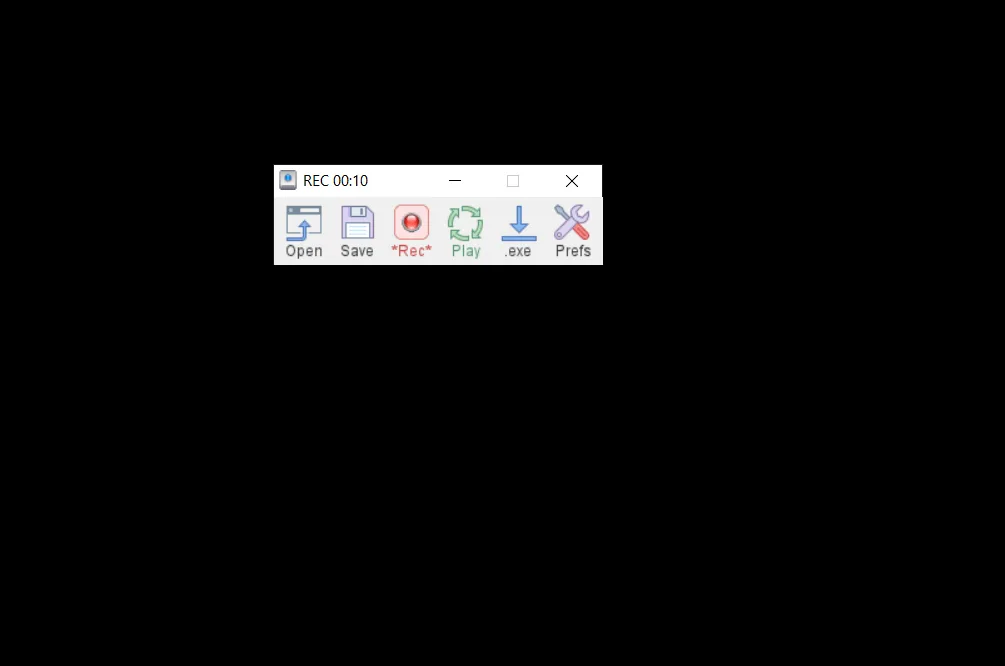
You only have six options to deal with. The options you are faced with are open, save, record, play, compile, and options. I have only messed with the record, play, open, and save options and not had any problems really. You can save various settings so you can use them again at a later date. Of course, as with anything like this, it can stop working, but I had this happen very infrequently.
While for me, TinyTask is something that I would use for video games, I have also read that people have used this for doing other stuff on their computers. I even had some fun just messing around and seeing if I could get it to do mundane stuff like opening and closing a file and it did!
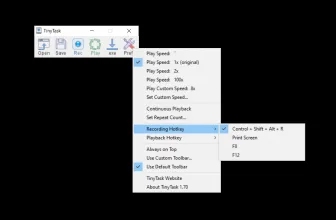
One thing that is really neat about TinyTask is how long the playback will go. If I am farming something in a game, I just leave it running and go back to it later. However, as well as having it run indefinitely, you can also set it to run for a set amount of time. For example, if you are farming a resource in a game that only has say, 20 units, you can set it to repeat the command 20 times.
Performance, Usability, and Final Verdict
I think this is a really cool thing to have on your computer. Games that have you repeating the same action over and over again can greatly benefit from using TinyTask. I was also very impressed with just how easy they made this to use. It is very intuitive, but they do have a fantastic guide that you can follow if you need a little help. If you are building a clean Windows toolkit, you may also appreciate DAEMON Tools Lite 12.6.0.2470 with our compatibility and setup overview.
TinyTask 1.77 System Requirements & Compatibility
Below are the supported Windows editions and baseline hardware specifications for installing and running TinyTask 1.77.
| Specification | Minimum | Recommended |
|---|---|---|
| Operating System | Windows 7 / 8.1 / 10 (32-bit or 64-bit) | Windows 10 or Windows 11 (64-bit) |
| Processor | Intel or AMD 1.4 GHz compatible CPU | Dual-Core Intel Core i3 / AMD Ryzen 3 or faster |
| Memory (RAM) | 2 GB RAM | 4 GB RAM or higher |
| Storage | 36 KB free disk space (approx. installer + app) | 250 MB+ on SSD for fast caching and updates |
| Distribution | Freeware / Official Release | Official publisher installer with administrator rights |
Looking for another helpful desktop utility? Explore our VCE Simulator 2.9.3 review, system compatibility, and official download guide.
Looking for another helpful desktop utility? Explore our WinDirStat 2.9.3 review, system compatibility, and official download guide.
Looking for another helpful desktop utility? Explore our Opera GX review, system compatibility, and official download guide.
Frequently Asked Questions
What makes TinyTask 1.77 so popular on Windows?
TinyTask 1.77 is an ultra-lightweight (~36 KB) portable Windows macro recorder that captures and replays exact mouse movements and keystrokes with zero installation or scripting required.
Does TinyTask install background services or registry entries?
No. TinyTask runs as a single portable .exe file with just six toolbar buttons (Open, Save, Record, Play, Compile, Options), leaving zero background processes once closed.
How do you stop an infinite playback loop in TinyTask?
Press the emergency break hotkey (default Ctrl+Shift+Alt+R, or customize the recording/playback shortcut to F8 or PrintScreen in Preferences) to stop continuous playback instantly.
Can TinyTask export recorded macros as standalone EXE files?
Yes. Clicking the ‘Compile’ button saves your recorded .rec macro sequence as an independent Windows executable file.