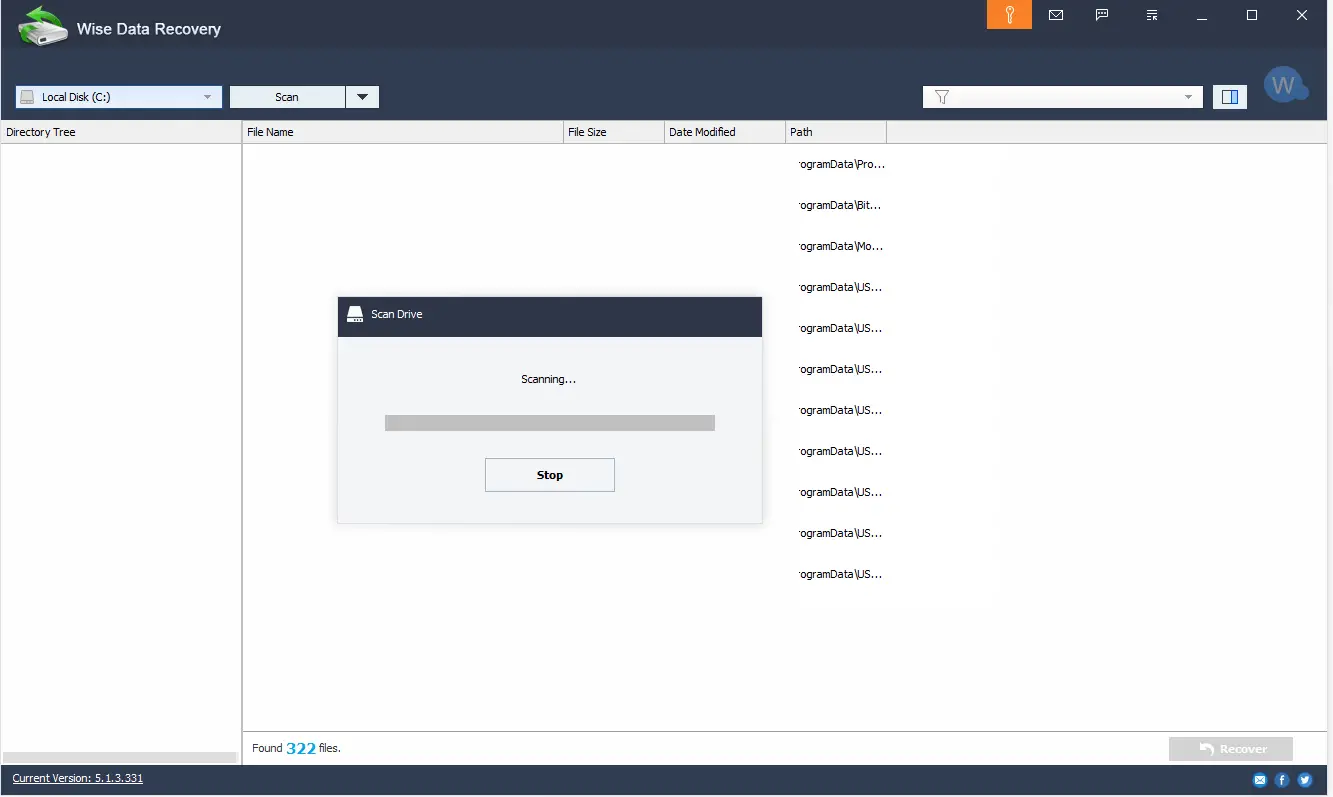
Wise Data Recovery is a very important tool you can use to regain access to lost data and information. It’s easy to delete data by accident, which is why having a recovery solution makes a lot of sense. With Wise Data Recovery you can easily recover your deleted content fast and easy. They can help you recover videos, documents, photos, email, and many others. You can also recover from a variety of media types like HDD, SD cards, USB drives, even your phone.
How to Download Wise Data Recovery
You can download the program by clicking the Download button below. There is a free version but you can also upgrade to Wise Data Recovery Pro. If you like the tool, check out also our reviews of other WiseCleaner programs: Wise Disk Cleaner, and Wise Care 365.
The Program Review
Thanks to Wise Data Recovery you can also perform data recovery if you formatted the drive and forgot about files or if you ended up with a virus attack. All you need is to have patience, not panic, as results can be very good and you will enjoy the experience quite a lot.
Core Features and Workflow in Wise Data Recovery 6.2.2
The app itself offers you access to more than 1000+ different file types. That means you can easily recover just about the most important file formats out there. You will not have to worry about any issues either, as the app will show you the state of that file and how it can be recovered. Then you will know if you actually want it recovered or not, and in the end, it will lead to a great result.
Normally data recovery takes a lot of time during the scanning process. But it doesn’t have to be like that.
For more tested utilities in this category, see our reviews of SyncBackPro 12.1.34.0 and StrongRecovery 5.3.2.1 for Windows. You can also explore our full guide and specs for Shimeji.
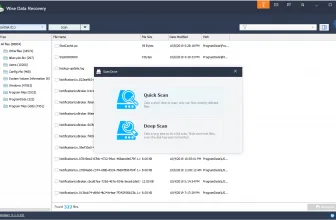
Wise Data Recovery is actually very fast, it has a great quick scan system and it can narrow down the search results without that much of a problem. There’s even a portable version in case you need that. To make things even better, it’s fully compatible with just about any Windows version. That does encourage you to use it regardless of the situation, and you will not have to worry about any major problems as you go along.
This is an app that you can use to really keep your information under control. It’s adaptable, very professional and it gives you all the value and quality that you want. Results are amazing with it, and you will find it great that you can use even a portable version. Plus, during our tests, it ran flawlessly and without issues.
Wise Data Recovery in its free version will scan and restore recently deleted files. If you want a deep scan for older files you need to pay for that. You will also get automatic updates and premium support. The good thing is that you will have no problem getting your information back, and that speaks volumes when it comes to the value of this tool.
The Bottom Line
Overall, if you have even the smallest interest in getting your lost data back, Wise Data Recovery is the right tool for you. It has all the features you need, you can even see the state of your file before you recover it. That really helps take the experience to the next level, so check it out for yourself and you will be impressed with the results all the time thanks to its precision and value.
System Requirements & Key Features
Check the baseline Windows hardware specs, developer details, and license profile for Wise Data Recovery 6.2.2 before installing.
| Specification | Minimum | Recommended |
|---|---|---|
| Operating System | Windows 7 / 8.1 / 10 (32-bit or 64-bit) | Windows 10 / 11 (64-bit) |
| Processor | 1.0 GHz Intel / AMD Dual-Core | 2.0 GHz+ Multi-Core CPU |
| Memory (RAM) | 2 GB RAM | 4 GB+ RAM |
| Free Disk Space | 5.3 MB installer + 300 MB free space | 1 GB+ SSD free space |
| Developer & License | WiseCleaner (free) | Latest verified Windows build |
To round out your software toolkit safely, see our tested Windows overview of EarTrumpet 2.3.0.0.
To round out your software toolkit safely, see our tested Windows overview of Sandboxie Plus 1.18.8.
You may also appreciate our detailed comparison, ratings, and setup notes for Rename Master 4.05.
To round out your software toolkit safely, see our tested Windows overview of Actual Title Buttons 8.15.4.
To round out your software toolkit safely, see our tested Windows overview of UpdateStar Drivers 18.0.0.
To round out your software toolkit safely, see our tested Windows overview of IDPhotoStudio 2.16.3.73.
To round out your software toolkit safely, see our tested Windows overview of PDF Combine.
To round out your software toolkit safely, see our tested overview of Free Firewall 2.6.2.
If you rely on this software ecosystem, check out our guide to MassCert 2.1.0.19 for additional workflow flexibility and system compatibility notes.
Frequently Asked Questions
What is Wise Data Recovery 6.2.2 and what are its main features?
Wise Data Recovery is a fantastic program that will let you recover your lost files and folders. Download it now and see it in action. Wise Data Recovery is a very important tool you can use to regain access to lost data and information, developed by WiseCleaner.
Which platforms support Wise Data Recovery 6.2.2 and how is it licensed?
Wise Data Recovery 6.2.2 supports Windows XP, Windows Vista, Windows 7, and Windows 8, with an installer package around 5.3 MB available as a free download. Official downloads and release information are available via downloads.wisecleaner.com and wisecleaner.com.
What are the main advantages and limitations of Wise Data Recovery 6.2.2?
With Wise Data Recovery you can easily recover your deleted content fast and easy. Overall editorial score: 9/10.