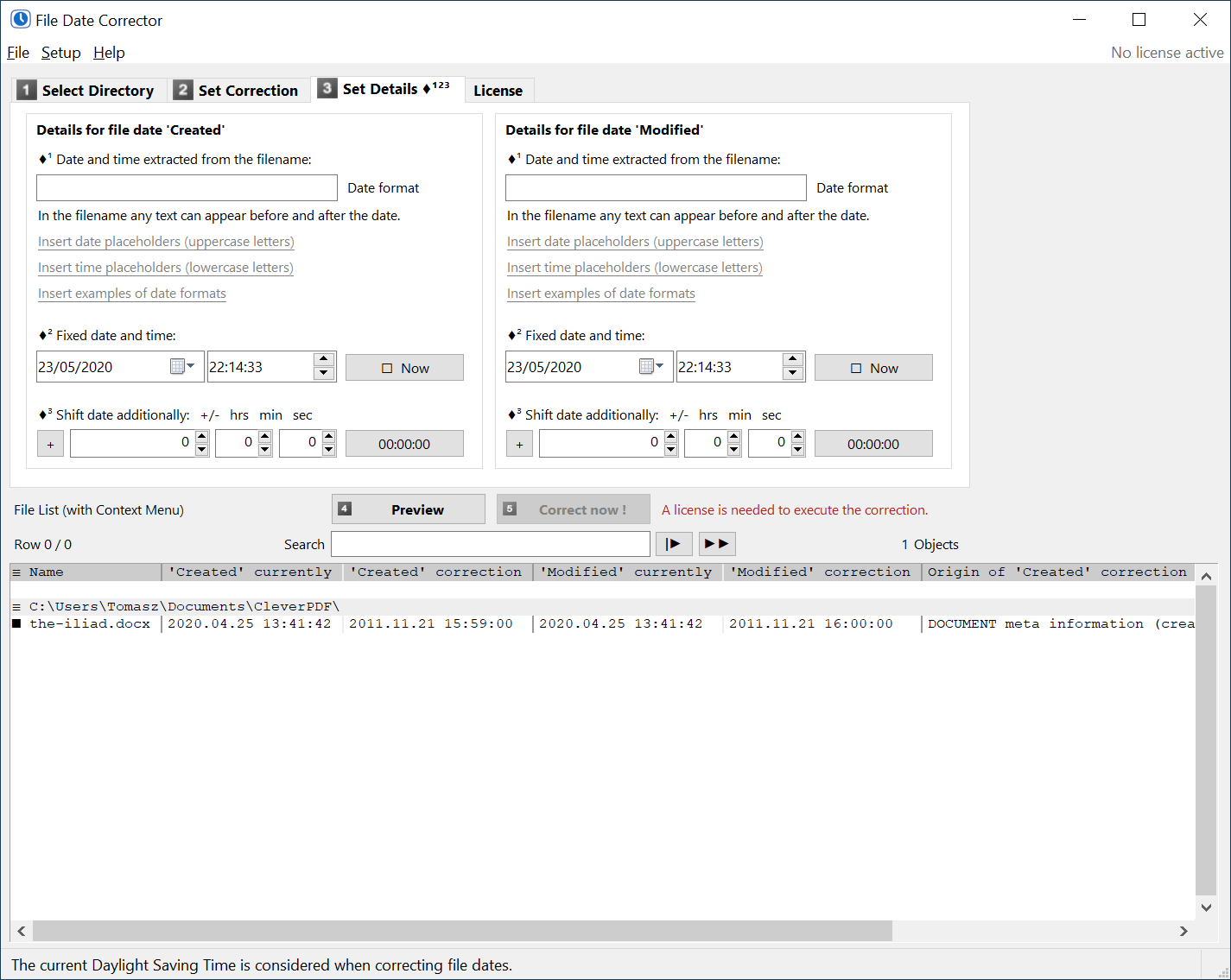
File Date Corrector is a reliable program that helps to extract date from the original file. If you don’t have an idea about the created and modified dates of a particular file, then you can use this software, and it will provide you all the details in no time.
It’s a straightforward application and doesn’t consume much space. For legal documents, it’s essential to know the original creation and modification dates. This is why this app is ideal as it provides all the legit details related to the creation date.
Not just files, it also helps to provide information about pictures such as when the picture was created, modified, etc. In addition, using this tool, you can also give the original date to the folders.
How to Download File Date Corrector
You can download the program by clicking the Download button below. Check out also another useful utility from Infonautics, which is Directory Listy & Print.
The Program Review
Most of the time, we all have to face issues regarding finding the original date of the folder or a file. Whenever you migrate the file, the system changes the original date with the new one, so it’s hard to find the details of when the new folder or a file was created.
To make your work easier, we have to find the right utility for you that is simple and manageable. Also, it allows you to find the date when the file was created and modified. It also allows you to find dates of different things such as documents, pictures, video, audio files, and much more.
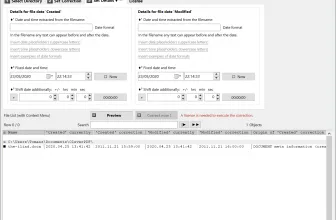
In addition, it also allows you to preview the dates before performing any changes. The interface of this software is user-friendly, which means anyone can use it. Also, the dashboard has simple options that make your work even easier.
Moreover, it also provides Meta information of different formats so you can easily restore the details. This program is compatible with Windows and is ideal for beginners as well as advanced users.
The Key Features of File Date Corrector
The essential key features of File Date Corrector are mentioned below.
-
User-Friendly Interface
The interface of this app is user-friendly and simple. If you don’t have much knowledge about apps, then you can use it easily. You can preview the changes on the dashboard and decide whether you want to modify dates.
-
Modifies Files Meta Information
It allows you to modify information of different images with the help of meta information. If you had just moved a file and didn’t know when it was created, using this application, you can effortlessly find information about the original date.
-
Works with Audio Files
It also helps you find information about audio files such as ogg, ogm, mp2, mp3, wma, ra, ape, flac, ac3, aac, dts, m4a, m4b, cda, wav. If you feel that you want to know the original date of a particular audio file, using this tool is the right choice for you.
-
Selects Files Directory
From the dashboard, you can select the directory from where you want to upload the folder and can also choose the path where you want to save the end results.
-
100% Safe
It’s 100% safe and free from any malicious activities. Hence, if you are looking for a reliable program, this one is the right choice for you.
Final Verdict
If you feel that finding a tool’s exact date is a daunting task, don’t worry because this utility will provide you the right details. It has useful features that you can try to find the exact date of your files and folders.
System Requirements & Key Features
Check the baseline Windows hardware specs, developer details, and license profile for File Date Corrector 1.70 before installing.
| Specification | Minimum | Recommended |
|---|---|---|
| Operating System | Windows 7 / 8.1 / 10 (32-bit or 64-bit) | Windows 10 / 11 (64-bit) |
| Processor | 1.0 GHz Intel / AMD Dual-Core | 2.0 GHz+ Multi-Core CPU |
| Memory (RAM) | 2 GB RAM | 4 GB+ RAM |
| Free Disk Space | 4.5 MB installer + 300 MB free space | 1 GB+ SSD free space |
| Developer & License | INFONAUTICS GmbH (demo) | Latest verified Windows build |
For a complementary desktop tool in the same Windows workflow, check our full review and requirements for Photopea.
Frequently Asked Questions
What is File Date Corrector 1.70 and what are its main features?
File Date Corrector is a tool that allows you to change the date of files creation which was changed by the operating system after you copied files to a new location, developed by INFONAUTICS GmbH.
What operating systems does File Date Corrector 1.70 support and how large is the installer?
File Date Corrector 1.70 supports Windows 7, Windows 8, and Windows 10, with a compact package size of roughly 4.5 MB. Official downloads and release information are available via infonautics-software.ch.
What are the main advantages and limitations of File Date Corrector 1.70?
It’s a straightforward application and doesn’t consume much space. Overall editorial score: 9/10.