W10Privacy is a tool created with a single premise. And that’s to offer you immediate access to better privacy settings. The problem with Windows 10 is that it just doesn’t have the type of benefits and great privacy that other versions of Windows had. If anything, it’s convoluted and it does bring in front all the features and benefits related to privacy without giving any concerns that can and might appear from time to time.
How to Download W10Privacy
You can download the program by following the Download link below.
The Program Review
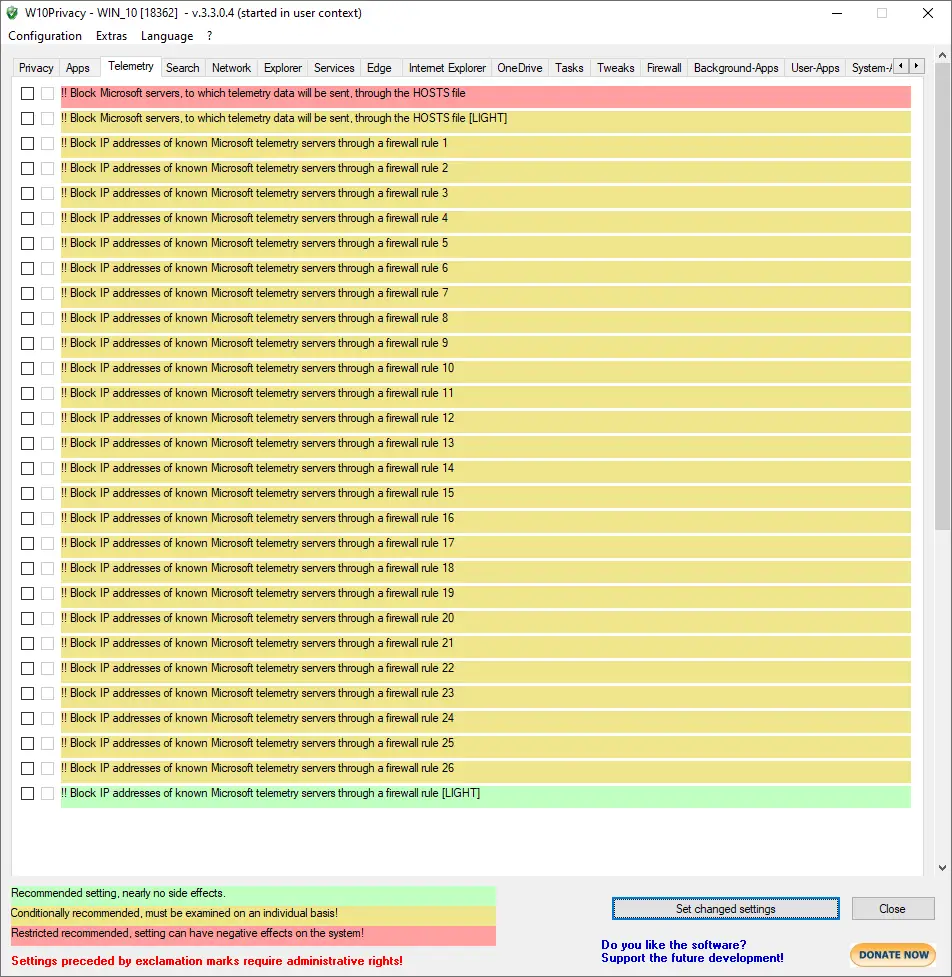
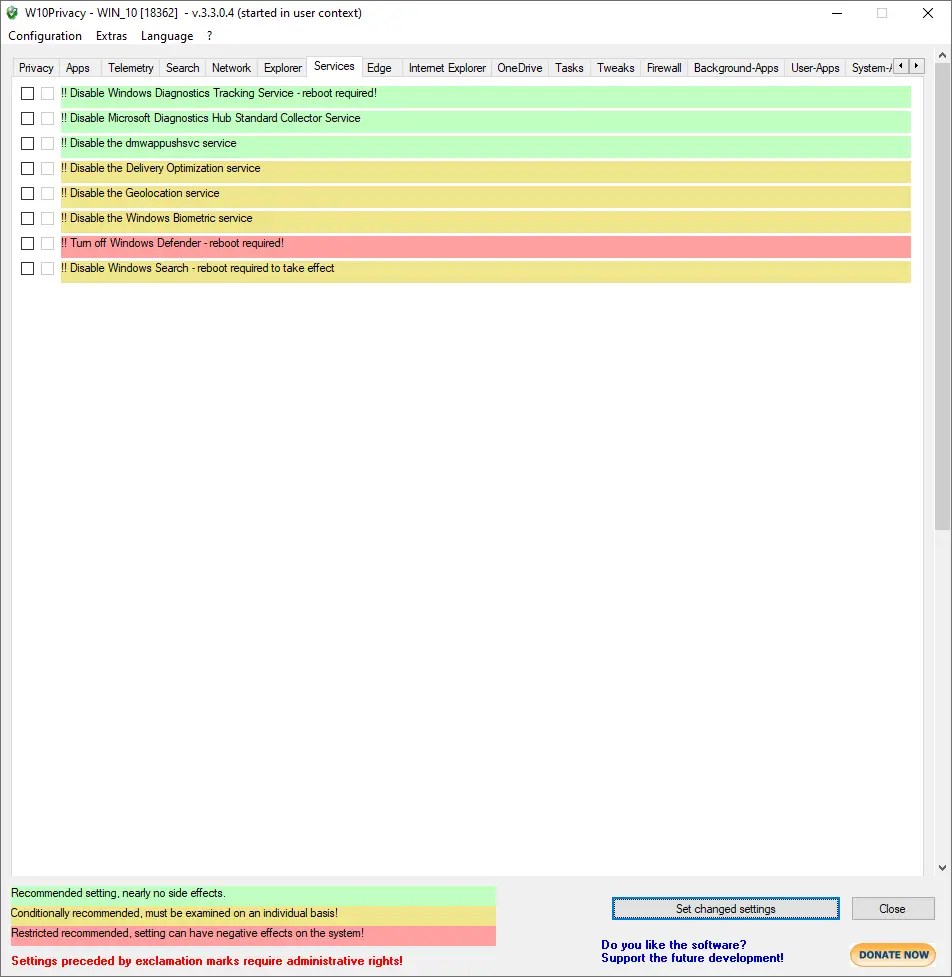
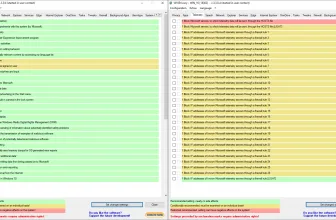
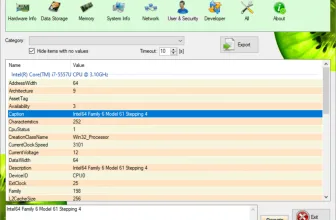
There are multiple tabs that you will have to check out here. The app does a very good job of having a variety of privacy features first and foremost. But it also focuses on stuff like telemetry, search, network, explorer, services, Edge, IE, OneDrive, tasks and many others. All of that adds up to bring in front nifty results and benefits, and the payoff itself is exciting and unique at the same time.
That really helps a lot and the experience itself will be great for you.
W10Privacy doesn’t have to be installed. It’s just an executable that you can keep on your computer and run it only when you need to make some privacy changes if that’s required. It’s one of the simplest tools related to privacy. Yet despite that, it comes with all the features and ideas you may need and it certainly delivers a tremendous return on investment you will be enjoying all the time.
People like using W10Privacy because they want to keep their information private. And the problem is that nowadays you don’t really have access to this type of stuff. It just doesn’t work the way you want, so it makes a lot of sense to use a tool like W10Privacy. With its help, you finally get to choose what you share, who you are sharing with and so on. That’s definitely helpful and it just goes to show the true value of the app and how everything comes together nicely.
Is it possible to access all these features in Windows 10? Unfortunately, that’s not the case. It’s sad because this is not offering the type of benefits and value you may need. Quality is what really matters here and with W10Privacy you get to have that. You are in full control and you can adjust and adapt to the process as you go along. That’s the type of thing you will enjoy and appreciate, and the payoff will be great thanks to the app.
When you are very focused on privacy, every detail will matter.
And with W10Privacy you get to finalize the process and make it work. That’s the thing that will really matter, and you will find the product to work super nicely. You have complete customization support and features, and if you do it adequately, the experience will be more than fine every time. Just check it out and give it a try if possible, you will surely enjoy it more than you imagine. W10Privacy is simple, efficient and a great tool for any computer!
System Requirements & Key Features
Compatibility & Requirements: Runs on Windows 7, Windows 8/8.1, Windows 10, and Windows 11 (x86/x64), under 10 MB disk space, requires Administrator rights. You can also explore our full guide and specs for DNS Jumper 2.3.
Understanding Green, Yellow, and Red Safety Recommendations
Staying inside Green-highlighted tweaks stops ad-ID profiling and diagnostic tracking without risking Wi-Fi, printing, or Microsoft Store apps.
Backup Habits Before Applying Registry Tweaks
Create a clean Windows System Restore point via the File menu and pair W10Privacy with trusted system optimization utilities. Users building a complete toolkit also explore ForceToolkit in our software library.
If you want another focused Windows program for daily tasks, explore our detailed coverage of Alcohol 120% 2.1.1.2201.
If you want another focused Windows program for daily tasks, explore our detailed coverage of Advanced SystemCare Free 20.0.1.256.
If you want another focused Windows program for daily tasks, explore our detailed coverage of KCleaner 3.8.4.114.
W10Privacy 3.8.0.2 System Requirements & Compatibility
Below are the supported Windows editions and baseline hardware specifications for installing and running W10Privacy 3.8.0.2.
| Specification | Minimum | Recommended |
|---|---|---|
| Operating System | Windows 7 / 8.1 / 10 (32-bit or 64-bit) | Windows 10 or Windows 11 (64-bit) |
| Processor | Intel or AMD 1.4 GHz compatible CPU | Dual-Core Intel Core i3 / AMD Ryzen 3 or faster |
| Memory (RAM) | 2 GB RAM | 4 GB RAM or higher |
| Storage | 10 MB free disk space (approx. installer + app) | 250 MB+ on SSD for fast caching and updates |
| Distribution | Freeware / Official Release | Official publisher installer with administrator rights |
For another helpful Windows utility in a related category, explore our review and official download guide for DAEMON Tools Ultra 7.1.0.1904.
If you want another focused Windows program for daily tasks, explore our detailed coverage of Apeaksoft Android Data Recovery.
If you want another focused Windows program for daily tasks, explore our detailed coverage of Microsoft PowerPoint 2007.
If you want another focused Windows program for daily tasks, explore our detailed coverage of KeePass Password Safe 2.51.1.
If you want another focused Windows program for daily tasks, explore our detailed coverage of EF Mailbox Manager 26.10.
If you want another focused desktop program for daily tasks, explore our detailed coverage of Inkscape 1.4.4.
Frequently Asked Questions
Does W10Privacy work safely on Windows 11 as well as Windows 10?
Yes – despite retaining its classic name, Bernd Schuster’s portable donationware tool W10Privacy is actively updated as of November 2026 for both Windows 10 and Windows 11 (including 24H2/25H2 telemetry, Edge, Copilot, and Recall switches) without requiring installation.
What do the green, yellow, and red colors mean in W10Privacy?
Green checkboxes indicate privacy tweaks that virtually any user can disable safely, yellow options warrant reading the hover tooltip so you do not break a feature like Windows Search or Store sync, and red switches are reserved for advanced administrators – always after creating a System Restore point.
Which companion Windows control utilities do power users keep handy?
Users building a clean, distraction-free PC setup often pair W10Privacy with Windows Update Blocker or all-in-one maintenance suite TweakPower.