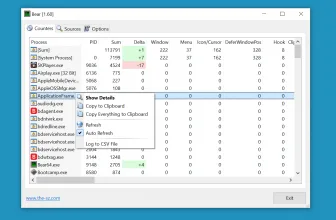
York is used for analyzing and parsing network packets with a few simple clicks. It’s a portable application that means you just have to download the zip file, extract it, and you are good to go. Apart from that, it helps to capture information of passwords and transmitted files. Those who are looking for a straightforward application can give it a try.
It provides all the details related to network traffic, such as log source, destination, IP address, or FQDN, and packets’ size. You can easily see all this information on the main screen. Moreover, you can also select the mode of the network card. For Example, you can set the promiscuous mode, which helps to pass the traffic fast.
The tool is created for advanced users, such as network administrators, to easily check the records of network traffic. Plus, users can also adjust the logging settings without facing any issues.
How to Download York
To download the program, click on the Download button below. Check out also other programs by the sz development, such as Lacey, Spencer, Howard, Conroe, or Redwood.
The Program Review
It is important to use a reliable network monitoring program if you want to measure the traffic. However, many applications have been created, which promises to provide accurate results, but either they are expensive or difficult to use. Looking for a reliable desktop utility in a similar category? Check out our detailed review of TrID – File Identifier 2.48 on MadDownload.
Core Features and Workflow in York 1.66
York 1.66 delivers consistent craftsmanship across its main experience, rewarding close attention to detail.
Performance, Usability, and Final Verdict
Overall, York 1.66 remains a well-balanced recommendation in its category with verified access details on this page.
System Requirements & Key Features
Check the baseline Windows hardware specs, developer details, and compatibility profile for York 1.66 before installing.
| Specification | Minimum | Recommended |
|---|---|---|
| Operating System | Windows 7 / 8.1 / 10 (32-bit or 64-bit) | Windows 10 / 11 (64-bit) |
| Processor | 1.0 GHz Intel / AMD Dual-Core | 2.0 GHz+ Multi-Core CPU |
| Memory (RAM) | 2 GB RAM | 4 GB+ RAM |
| Free Disk Space | 2.02 MB installer + 300 MB free space | 1 GB+ SSD free space |
| Developer & License | the sz development (free) | Latest verified Windows build |
Frequently Asked Questions
What is York 1.66 and what are its main features?
York is a free network traffic analyzer. Download it now and see what information you can find in your logs. York is used for analyzing and parsing network packets with a few simple clicks, developed by the sz development.
Which platforms support York 1.66 and how is it licensed?
York 1.66 supports Windows, with an installer package around 2.02 MB available as a free download. Official downloads and release information are available via the-sz.com.
What are the main advantages and limitations of York 1.66?
Apart from that, it helps to capture information of passwords and transmitted files. Overall editorial score: 9/10.
If you are a beginner and don’t know how to analyze network packets, don’t worry; today, we have a free tool for you. Yes, we are talking about York. It’s a utility created by the sz development. This software is simple-to-use and doesn’t require technical expertise. The setup procedure is also easier, and anyone can do it. You don’t have to worry about anything because it is user-friendly and straightforward in terms of interface.
Apart from measuring network traffic, it also allows you to view details of passwords, web sessions, images, and much more. Also, you can check the database log and search for different information, such as type, port details, address, etc.
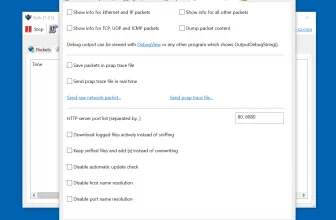
Those who want to keep the record can export the files in CSV format. Furthermore, it allows you to set the location of the database. And for that, you have to configure the settings. The packets that you can log include TCP, ICMP, NETBIOS, etc.
The Features of York
The essential features of this software are mentioned below.
- Capture Passwords
You can easily capture AIM passwords, HTTP cookies, and much more. Besides that, it helps to collect information about various types of files. In case you don’t want to store all the information, don’t worry because you can use different patterns and save the data accordingly.
- Capture Images
You can easily see the capture pictures on the dashboard in the form of slideshows. You can also adjust the settings to see them in fullscreen.
- Advanced Options
It provides different options related to the database, such as you can write the logs, add different columns, easily import and export the files. You can export the options in Excel format.
Final Verdict
It’s a lightweight program and contains handy features for advanced users. Those who want to monitor network traffic for free can try this software. All in all, it’s a right choice for the novice as well.