Driver Booster Free is an easy to use yet powerful driver updating software from leading system utilities and security company IObit, which provides many kinds of software (such as, for example, Advanced SystemCare, Malware Fighter, IObit Uninstaller or Smart Defrag) designed to optimize personal computers. Driver Booster is aimed at fixing outdated, faulty or missing drivers in computers and dealing with game components being updated correctly. Driver Booster also comes with the quick fix toolset that repairs other computer problems such as audio crackling, no sound issue, no network problem, bad resolution problem, and multiple device errors.
How to Download IObit Driver Booster
To download the free version of IObit Driver Booster click on the Download button below. You should also consider downloading Driver Booster PRO which offers an even larger database of drivers, automatic drivers backup and a handful of other useful features.
The Program Review
Driver Booster can scan the user’s computer for any outdated or faulty drivers which can then be updated or fixed through the one-click option. The software also displays the condition they are in which allows the user to decide whether or not to take the action and of what kind. With the latest version, users can now update over one million device drivers and game components, particularly the rare ones not easily available otherwise.
The components include, but are not limited to, Visual C++ 2017 Redistributable, Silverlight 6, Microsoft XML and Microsoft Games for Windows Marketplace. The driver types that are updated include various PC devices like Graphics, Audio, Net, Printer, and Chipset.
The software also allows users to back up certain drivers before updating or taking further action. This allows a copy to be made safely in the event something goes wrong or the computer is not compatible with the latest drivers. The users can then restore the backup drivers if they wish or in the event of an emergency. Driver Booster also allows the users to make a system back up which can later be restored in the same way in the event something happens to the user’s computer.
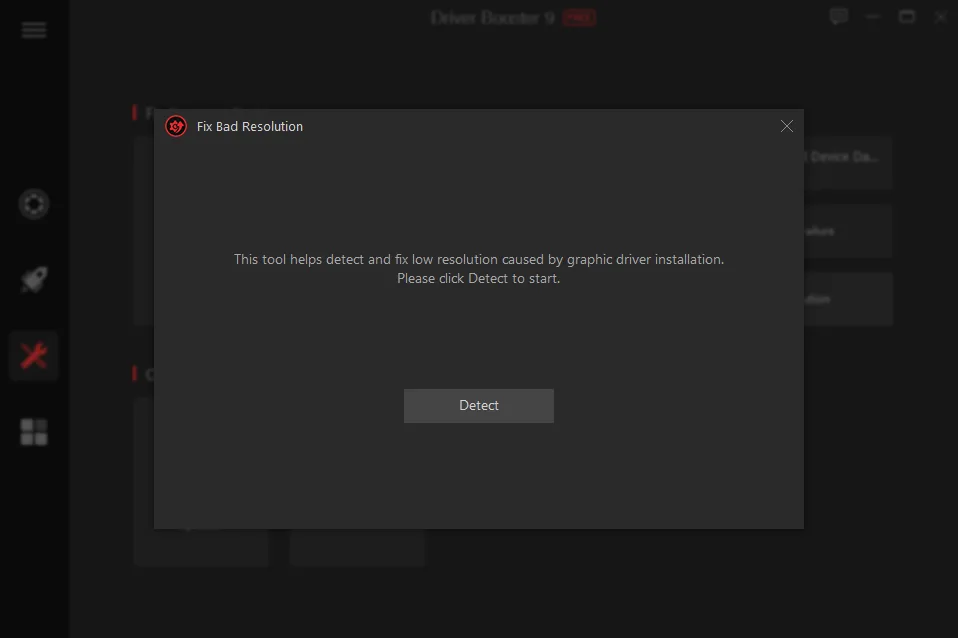
Driver Booster also provides a host of other functions as mentioned previously. It allows the users to fix the issue when there is no sound in programs and games. It lets the users deal with the network failure issue. Along with allowing you to fix faulty devices attached to the computers such as USB drives and portable hard drives. It also offers the capability to fix resolution problems caused by updating certain drivers, installation of new hardware and software, as well as certain software forcing the computer to run in resolutions that cause an error. There is also the Quick Tools feature that takes of these problems and many more with just the use of a few clicks and buttons.
IObit Driver Booster Free and PRO versions
As with all IObit software, the Driver Booster is available in both free and pro versions. The free version provides all of the features mentioned here. The Pro version provides better service, a larger database, faster operating speed. It also takes care of multiple processes that are otherwise done manually, such as the backups and auto-updating. They both offer a wide array of functions as just described and allow many users around the world to improve and optimize their computers.
System Requirements & Key Features
Compatibility & Requirements: Runs on Windows XP through Windows 11 (32/64-bit), 1 GHz processor, 512 MB RAM, ~300 MB disk space, and internet connection.
Fixing Offline Network Adapters and Missing Gaming Runtimes
After a clean Windows reinstall, the built-in Fix No Sound, Fix Network Failure, and Game Ready runtimes tools resolve missing DLLs swiftly.
Backing Up Working Drivers Before Every Update
Always keep Driver Backup enabled so you can roll back any incompatible audio or motherboard update alongside trusted driver update tools. Users building a complete toolkit also explore UpdateStar Drivers 18.0.0 in our software library.
Frequently Asked Questions
How do I download the latest version of IObit Driver Booster Free?
Click the green Download button on this page to get the official installer for IObit Driver Booster Free 14.0.1.462.
Which operating systems support IObit Driver Booster Free?
IObit Driver Booster Free runs on Windows PC; check our specification box below for exact system details.
Is IObit Driver Booster Free safe to install on my computer?
Yes, downloading IObit Driver Booster Free from verified vendor links ensures a clean, authentic installation package.
What makes IObit Driver Booster Free useful?
Rated 8.5/10 in our review, IObit Driver Booster Free combines practical tools with an approachable interface for everyday workflows.