If you are passionate about guitars, it’s a very good idea to exercise guitar scales and chords. Doing that can be very exciting, and it’s up to you to make the right choice. With that in mind, it’s very important to note that this is a tool for amateurs and professionals alike. So even if you’re new to guitars, you can easily use Alternate Chord to exercise the guitar scales and chords without a problem.
How to Download Alternate Chord
You can download the program by clicking the Download button below.
The Program Review
The app is open-source, so anyone can use it and download it if needed. And the best part is that you have complete customization over what you choose to play. They added a multitude of chords in various gripping positions. And there even are multiple scales inside the app too.
Some of the supported scales include the enigmatic, Egyptian, Chinese, Balinese, Algerian scale, major as well as minor pentatonic and the major and minor scale. This certainly helps bring in great results and the experience itself can be exciting and extraordinary at the same time.
Despite the fact that you can add use these templates already provided, you can also add your own chords and scales if you want. So if you are the type of person that needs to use such an app often, you can integrate your own stuff inside of the app just as easily. This is very convenient and helpful, especially if you’re rather new to guitar tests and practices like this one.
For more tested utilities in this category, see our reviews of Deeproot Plant Base 2.2.0 and Click and Relax for Windows.

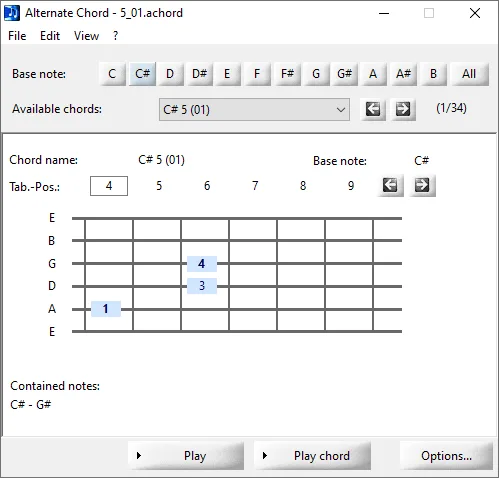




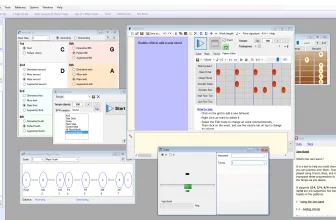
In order to make things even better, the program allows you to listen to chords and scales via the MIDI interface. That means a lot more customization than before and a great integration for your app. The true benefit of Alternate Chord is that it always offers you a way to test chords and improve on them as you go along.
Another thing to consider here is that Alternate Chord is very well supported, the app has great content and it continually adds in more chords and support for new languages. That is great because you can easily personalize the app and make it interesting for yourself and easier to use.
Of course, with Alternate Chord you will not have to worry about any unwanted problems or a lack of customization. It really is the best of both worlds when it comes to value and quality, and the app itself is very professional and presentable. It’s worth testing out, especially if you are new and want to improve.
The Verdict
Alternate Chord is not for everyone, but if you want to practice playing your guitar, it offers you the perfect way to improve. It’s convenient, the interface is very easy to use and it works really well. It’s also an open-source product, so you can download it for free and reuse it for as many times as you want. That’s the best thing about it, the fact that even as a newcomer to the industry you can have access to great practice tools like this. And Alternate Chord is certainly one of those apps that you should test out right away!
Frequently Asked Questions
What is Alternate Chord 2.000 and what are its main features?
Alternate Chord is a great free tool for guitar enthusiasts. You can learn chords and scales. If you are passionate about guitars, it’s a very good idea to exercise guitar scales and chords, developed by Alternate Tools.
Which platforms support Alternate Chord 2.000 and how is it licensed?
Alternate Chord 2.000 supports Windows NT, Windows 2000, Windows XP, and Windows Vista, with an installer package around 1.9 MB available as a free download. Official downloads and release information are available via alternate-tools.com.
What are the main advantages and limitations of Alternate Chord 2.000?
With that in mind, it’s very important to note that this is a tool for amateurs and professionals alike. Overall editorial score: 9/10.