Model Air Design, as the name suggests, is a program that helps to create attractive designs of airplanes. In short, we can say that it’s a utility that is used to create airplane models. This program is ideal for both beginners and experts. In case you find Computer-Aided Design (CAD) software too complicated and can’t understand how to use those applications.
You can use this software because it’s simple and doesn’t cause any issues for you. By following a few simple steps, you can easily create appealing designs. However, within a few minutes, your designs will be ready to use.
You can create models in the 3D format without facing any issues. Apart from that, CAD software concepts have been added to this application, which will make your work easier. In addition, you can add cool stuff to your designs and can create a good final product.
How to Download Model Air Design
To download the program, click on the Download button below.
The Program Review
Creating airplane models can be a tedious task if you don’t know which tool to choose. There are numerous apps available online, but they all can be complicated for the first time. In order to create good designs, it’s vital to use useful software that can provide you accurate results.
In case if you are tired of searching for reliable programs and don’t know which one to choose, we have got your back. Model Air Design is a useful utility that makes sure that you can create good designs without facing any issues.
In fact, it provides all the features, which will help you to develop 3D models in no time. You can also adjust the settings and options according to your requirements. It’s simple to use and doesn’t cause any issues for novice users. If you are a beginner and don’t have much knowledge about designs and want to try somewhere, this program will definitely help you.
Using this tool, you can adjust the height, weight, and rotation of your design. You can also merge data and can create a new model from the old ones. Due to its intuitive interface, users can easily create things by moving step-by-step.
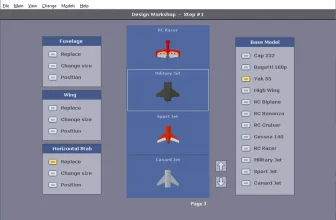
Other than that, it allows you to change positions and designs of fuselages, wings, etc. Do you want to know more about it? Below are in-depth details about the features that will help you to understand it better.
Features of Model Air Design
Here are some useful details about the features that you must know.
- Easy-to-Use Interface
The interface is simple and easy-to-use. If you are a newbie and want to learn something new, this tool will definitely help you. Moreover, you can find all the options on the dashboard.
- Visualization
It helps to fulfill all your requirements in no time. If you are visualizing the designs, then you can use this application to bring them into reality.
- 100% Safe
It’s 100% safe and doesn’t cause any issues for you.
- Provides Accurate Results
It provides accurate results and makes sure that users don’t have to face any issues.
- Preview Designs
You can see how your design has been made by choosing the preview option. Besides, it displays frames per second and hotkeys. But the hotkeys can’t be assigned again.
Final Verdict
This utility is packed with decent features and makes sure that anyone can use them. It provides cool stuff that you can add to your designs.
Frequently Asked Questions
How can I download and play Model Air Design 2.5 on PC?
Use the green button on this page to access the official store and download page for Model Air Design 2.5.
What are the PC system requirements for Model Air Design 2.5?
Refer to our technical specification box and review analysis on this page for platform support, performance notes, and hardware requirements for Model Air Design 2.5.
How is the gameplay in Model Air Design 2.5?
Our editorial review above evaluates Model Air Design 2.5 across gameplay mechanics, graphics, audio design, and replayability, complete with a full Pros and Cons breakdown.
Does Model Air Design 2.5 support controllers and widescreen displays?
Modern PC releases of Model Air Design 2.5 include configurable display settings and standard input options as detailed in the official release notes.