Wintree Family Tree is used to edit, view, record, merge and produce different charts, family trees, etc. You can get the information in different formats, including HTML, PDF, PNG, and more. It’s a GEDCOM-based application, which shows all relatives’ data, including cousins, descendants, and ancestors.
You can receive HTML reports and various charts of an individual as well. It makes the side-by-side comparison and shows engaging pictures. It also provides support for Unicode and different other characters. You can easily download it on almost all Windows versions.
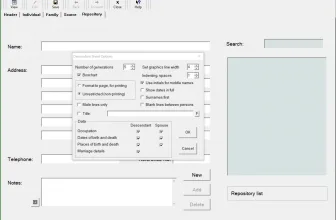
Furthermore, it allows you to merge GEDCOM files and create automatic backup files whenever you update anything. You can check the individual’s record, but for that, you have to adjust the settings first.
How to Download Wintree Family Tree
To download the program, you need to click on the Download button located below this review.
The Program Review
Genealogical data/research is finding the information on an individual’s ancestral history. This record can be both official and unofficial. However, getting in-depth statistics can be complicated if you don’t have an idea about the right application. Looking for a reliable desktop utility in a similar category? Check out our detailed review of Scratch Offline Editor 3.90 on MadDownload.
Core Features and Workflow in Wintree Family Tree 5.21
Performance, Usability, and Final Verdict
Overall, Wintree Family Tree 5.21 remains a well-balanced recommendation in its category with verified access details on this page.
System Requirements & Key Features
Check the baseline Windows hardware specs, developer details, and compatibility profile for Wintree Family Tree 5.21 before installing.
| Specification | Minimum | Recommended |
|---|---|---|
| Operating System | Windows 7 / 8.1 / 10 (32-bit or 64-bit) | Windows 10 / 11 (64-bit) |
| Processor | 1.0 GHz Intel / AMD Dual-Core | 2.0 GHz+ Multi-Core CPU |
| Memory (RAM) | 2 GB RAM | 4 GB+ RAM |
| Free Disk Space | 3.1 MB installer + 300 MB free space | 1 GB+ SSD free space |
| Developer & License | D. J. Cooke (shareware) | Latest verified Windows build |
Frequently Asked Questions
What is Wintree Family Tree 5.21 and what are its main features?
Wintree Family Tree is a program that lets you draw your genealogical tree. Download it now and let it help you recreate the history of your family. Wintree Family Tree is used to edit, view, record, merge and produce different charts, family trees, etc, developed by D. J. Cooke.
Which platforms support Wintree Family Tree 5.21 and how is it licensed?
Wintree Family Tree 5.21 supports Windows XP, Windows Vista, Windows 7, and Windows 8, with an installer package around 3.1 MB available as shareware / free trial. Official downloads and release information are available via web.archive.org and Amazon.
What are the main advantages and limitations of Wintree Family Tree 5.21?
It’s a GEDCOM-based application, which shows all relatives’ data, including cousins, descendants, and ancestors. Overall editorial score: 9/10.
Wintree Family Tree is used for showing genealogical data with proper citations and repositories. That means all the details provided by the tool will be authentic. It can show almost 1000 people details in almost 20 A4 pages. You can also choose the style of the pages, such as themes, fonts, etc. However, you are only allowed to select 2 styles.
Moreover, it provides various functions to customize the boxes. Add different styles to your boxes to make them more attractive. Even you can add colors to make them look better.
You can easily get information about 7 to 8 generations on the cart, which can easily be shown on a single page. In case you want things to look more attractive, you can add different pictures to the chart.
It’s a free program, but you can register for it as well. However, for that, you have to pay some amount. You can order from the link mentioned on the official website. But make sure to read the terms and conditions before placing the order.
The Features of Wintree Family Trees
Let’s have a look at its useful features.
- Simple Interface
It doesn’t have any complicated options and dashboard. If you are a beginner and don’t have an idea to use apps, you can use it easily.
- Customize Settings
You can customize the boxes, layouts and also adjust the colors. It also allows you to add different fonts to make your work appealing.
- GEDCOM Data
To create the charts, you can import the GEDCOM data. On the other hand, you can also export the final results in different formats, including HTML, PNG, RFT, etc.
- Add Links
It provides results with different links for references. For clarity, the links will be color-coded.
- Unicode Support
It provides support for special characters, so you can do your work without any distractions.
- Single Family Tree
It displays all the blood relations in a single-family tree, so you don’t have to create separate trees for everyone.
Final Verdict
This tool doesn’t require much effort as anyone can manage it. In case you have created different trees, don’t worry because it merges things without losing any details.