Why download Zortam Mp3 Media Studio? If you’re an audio producer, or you just love music, you know how difficult it can be to organize your media library. That’s why most serious professionals turn to software specifically designed to organize tons of audio files all in one place for easy access. The only problem is that there are a lot of options out there.
So how do you know which one is right for you?
It comes down to a combination of prices and features, and that’s where the Zortam MP3 Media Studio beats most of its competition.
Armed with a bevy of robust features, Zortam Mp3 Media Studio has incredibly deep cataloging capabilities while also operating quickly and with minimal slowdown – no matter how big your media library.
How o Download Zortam Mp3 Media Studio
You can download the program by clicking on the button located below this review. You can also buy the Pro version which doesn’t require a separate download. It’s enough to enter the purchased licence key in a program window.
The Program Review
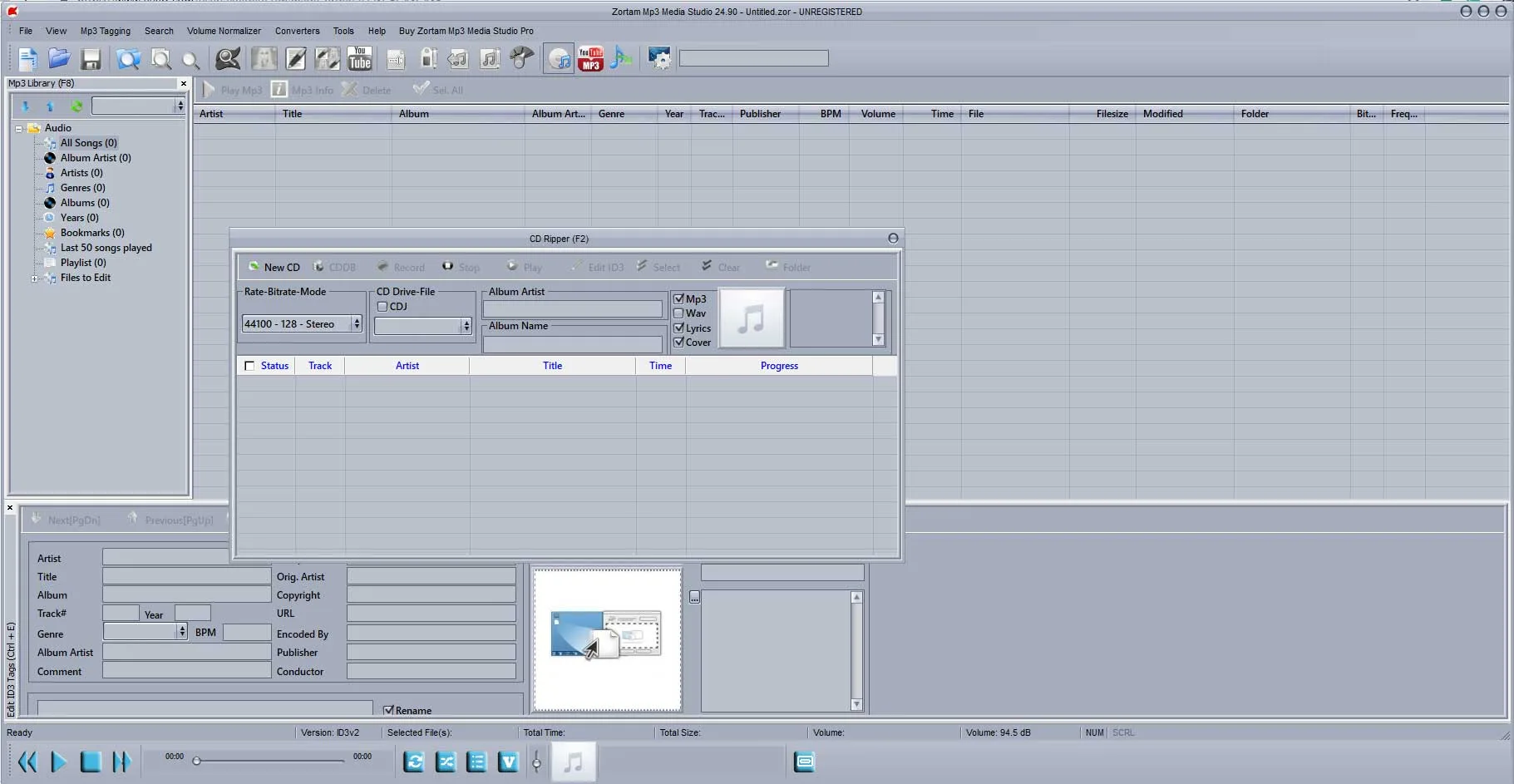
Like many similar programs, it has an automatic mp3 tagger feature which will help you manage any size media library. On top of that, it also has a de rigeur album art option and even a lyrics downloader. You can adjust volume and analyze BPM as well as download the mp3 files from your favorite YouTube videos without any problem at all.
Core Features and Workflow in Zortam Mp3 Media Studio 34.20
If you already use iTunes, it will import that library automatically if you choose to do that.
As far as the album art and lyric downloaders go, you can download them as batches instead of doing them file by file. It will also automatically tag these files if you choose to do that.
For those users that still rip CDs, the advanced CD ripping options of the software will put in lyrics and album art for each song to give your final product a professional feel.
Of course, if you just want to listen to your music the tool has an excellent audio player.
It will let you organize your music by artist, album, music genre, and the year it was made. You can even build out playlists. Best of all (especially for people with huge libraries), it can find and help you eliminate duplicate MP3 files.
One especially cool feature is that it can even help you identify songs or mp3 files that have lost the file name or don’t have it. Using a music identification algorithm, Zortam Mp3 Media Studio can help you identify even the most obscure files by drawing upon its database to identify the file.
Performance, Usability, and Final Verdict
This works much like apps for your smartphone such as Apple’s Shazam.
Best of all is the price: Free or $29.95. The free version comes with most of the basic features you need, but the Pro version really unleashes all of the time-saving organizational power that lies at the core of Zortam Mp3 Media Studio.
It’s not that the free version isn’t good, it just doesn’t come with nearly enough features to justify using it over iTunes or something like that.
If the free version is all you think you need, you might want to give the Pro version another look as it comes with all of the robust cataloging and tagging features most users want.
System Requirements & Key Features
Check the baseline Windows hardware specs, developer details, and compatibility profile for Zortam Mp3 Media Studio 34.20 before installing.
| Specification | Minimum | Recommended |
|---|---|---|
| Operating System | Windows 7 / 8.1 / 10 (32-bit or 64-bit) | Windows 10 / 11 (64-bit) |
| Processor | 1.0 GHz Intel / AMD Dual-Core | 2.0 GHz+ Multi-Core CPU |
| Memory (RAM) | 2 GB RAM | 4 GB+ RAM |
| Free Disk Space | 23.1 MB installer + 300 MB free space | 1 GB+ SSD free space |
| Developer & License | Zortam (free) | Latest verified Windows build |
Frequently Asked Questions
What is Zortam Mp3 Media Studio 34.20 and what are its main features?
Zortam Mp3 Media Studio is an MP3 cataloging software with a player, metadata editing features and even some downloader capabilities. If you’re an audio producer, or you just love music, you know how difficult it can be to organize your media library.
Which platforms support Zortam Mp3 Media Studio 34.20 and how is it licensed?
Zortam Mp3 Media Studio 34.20 supports Windows, with an installer package around 23.1 MB available as a free download. Official downloads and release information are available via zortam.com.
What are the main advantages and limitations of Zortam Mp3 Media Studio 34.20?
The only problem is that there are a lot of options out there. Overall editorial score: 9/10.