We have all had a time when our laptop or desktop runs as slow as a turtle and becomes frustrating to use. Many people think that a complete system wipe is the only way to fix these types of problems. Usually, leftover bits of software can cause problems on your computer be it causing it to run slow, crash, or just be a pain in the butt to use, that is where Auslogics Registry Cleaner comes in.
How to Download Auslogics Registry Cleaner
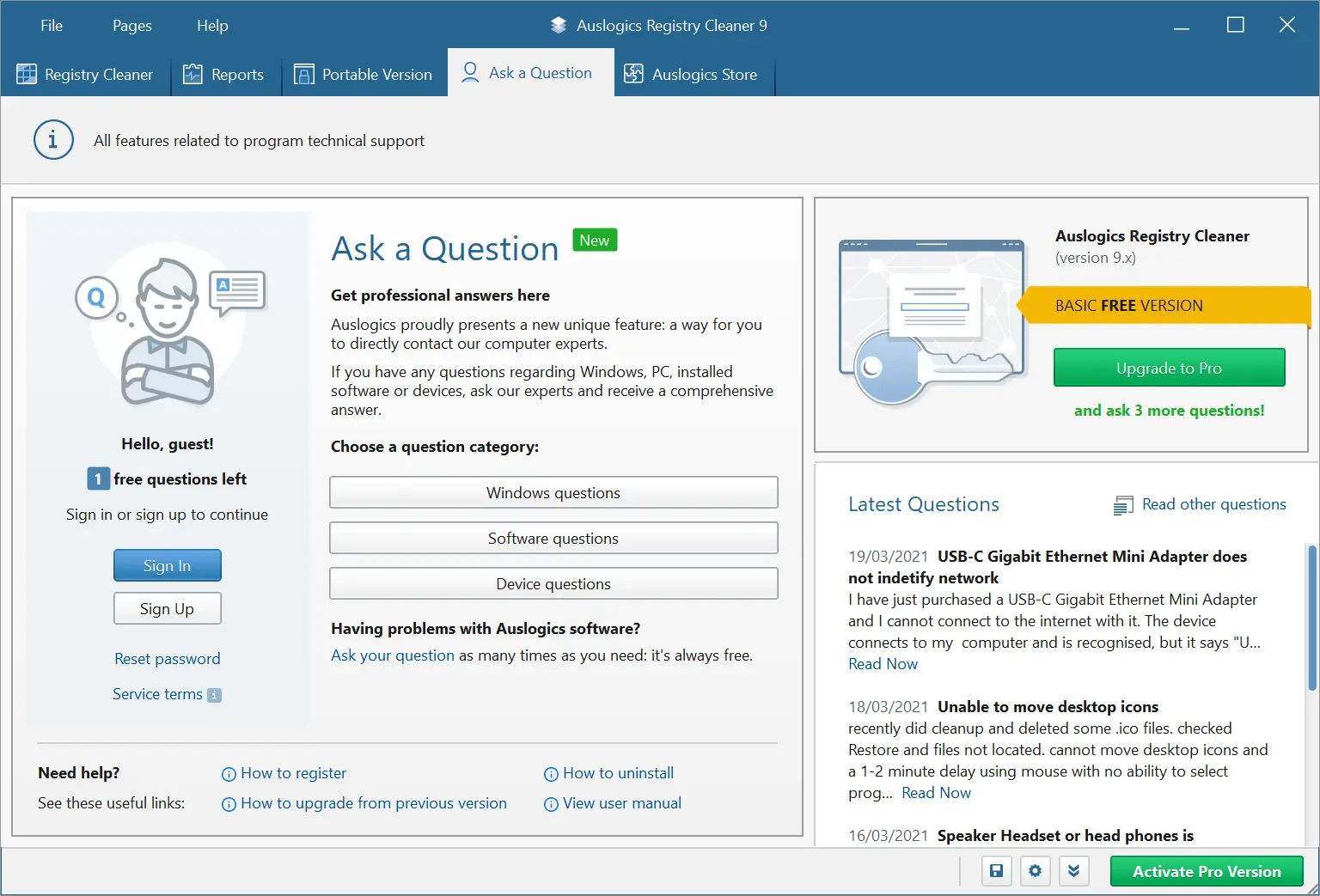
You can download the program upon clicking on the Download button that is located below. There is also the paid Pro version which will guarantee deeper registry optimization, will enable notification setting control, and provide extended support. You might also want to check out our reviews of other programs by Auslogics: Auslogics BootSpeed and Auslogics Disk Defrag.
The Program Review
What this software actually does is very useful. You fire up the software and let it run and it will find programs that have been uninstalled but have left things lingering on your computer. The software will then give you a list of the troublemaking software it has found and give you the choice to delete it.
Core Features and Workflow in Auslogics Registry Cleaner 11.2.0
I am not sure why you would want to keep stuff that is making your computer run less than ideal. However, it will always check-in before it deletes something which I am sure some folks will find very useful. The whole process is much quicker than you are probably thinking.
Performance, Usability, and Final Verdict
There is a free version of this that you can download. I think this is more of a trial or a demo as it just does a very superficial sweep of your computer. It will tell you what it finds and then you can get rid of it. It is pretty basic, but at the end of the day it is free and it gives you an idea of what the program is like. Looking for a reliable desktop utility in a similar category? Check out our detailed review of QiPress 1.077.3 on MadDownload.
System Requirements & Key Features
Check the baseline Windows hardware specs, developer details, and compatibility profile for Auslogics Registry Cleaner 11.2.0 before installing.
| Specification | Minimum | Recommended |
|---|---|---|
| Operating System | Windows 7 / 8.1 / 10 (32-bit or 64-bit) | Windows 10 / 11 (64-bit) |
| Processor | 1.0 GHz Intel / AMD Dual-Core | 2.0 GHz+ Multi-Core CPU |
| Memory (RAM) | 2 GB RAM | 4 GB+ RAM |
| Free Disk Space | 15.6 MB installer + 300 MB free space | 1 GB+ SSD free space |
| Developer & License | Auslogics Labs Pty Ltd (free) | Latest verified Windows build |
Frequently Asked Questions
What is Auslogics Registry Cleaner 11.2.0 and what are its main features?
Auslogics Registry Cleaner will optimize your Windows Registry. Many people think that a complete system wipe is the only way to fix these types of problems, developed by Auslogics Labs Pty Ltd.
Which platforms support Auslogics Registry Cleaner 11.2.0 and how is it licensed?
Auslogics Registry Cleaner 11.2.0 supports Windows 7, Windows 8, and Windows 10, with an installer package around 15.6 MB available as a free download. Official downloads and release information are available via auslogics.com.
What are the main advantages and limitations of Auslogics Registry Cleaner 11.2.0?
Key highlights include this software will help your computer run faster, the easiest way to get rid of left-over files, and they have designed this to be as easy to use as possible. Limitations noted during evaluation include some people may not like having to pay for the pro version and the free version feels very limited. Overall editorial score: 9/10.
You can buy an annual license which works out at like a couple of bucks per month. With this Pro Version, you can give your computer a real deep scan and you will be amazed at what this software can find on there. You also get enhanced support options as well as the ability to ask more questions if you need help.
It is worth noting that the license you buy with the Pro Version of the software is not just for one computer. With the Pro Version, your license can be used on three different computers. This makes this a pretty handy piece of software for the whole family or even if you are just someone who has a work and a home computer. With this, it can look after them both.
If you ask me the Auslogics Registry Cleaner is a great piece of software. I am not sure I would bother with the free version as it is very limited, but it is there to at least let you see how it works. I feel that the license fee for the Pro Version is more than fair considering how deep it will look into your files and also because it can be used on three computers.