I will admit that I have been put over the edge by a PDF on more occasions than I would like to admit. Thankfully, today we are looking at the Corrupt PDF Viewer which should make stuff like this a thing of the past. It is a neat little program that is well worth having on your PC if you do use PDFs quite frequently.
How to Download Corrupt PDF Viewer
To download the program, click on the Download button that you will find located below this review.
The Program Review
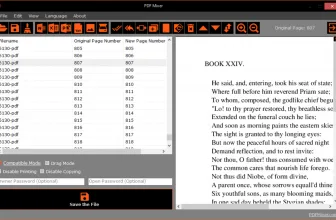
I have had the dreaded message “This Is A Corrupt PDF” appear on more than a few occasions and it is annoying as hell! You are just there with an icon on your screen that is pretty much useless. The first thing that is great about the Corrupt PDF Viewer is that it can actually let you view the corrupted document.
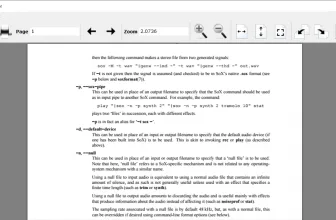
Most of the time when a PDF is corrupted, it is not the entire document that is messed up. When you use this, you can open up the corrupted file and view the content that is corrupted as well as the stuff that is ok. This alone makes this a program that is great to have if you do use PDFs regularly.
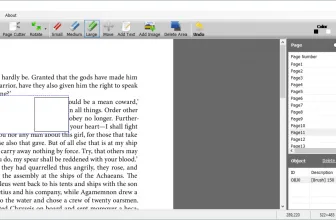
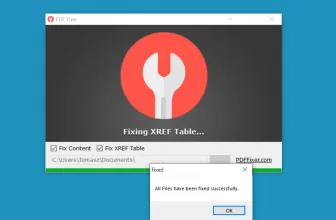
While viewing the corrupted PDFs is great, this also allows you to fix the files and then save them to a new PDF where they can be used as normal. You may think that you need some savvy computer knowledge to do this, but that is not the case at all and if you have used any kind of program before, you will be able to figure this out. If you are building a clean Windows toolkit, you may also appreciate PDF-XChange Editor 11.1.2.0 with our compatibility and setup overview.
System Requirements & Key Features
Check the baseline Windows hardware specs, developer details, and compatibility profile for Corrupt PDF Viewer before installing.
| Specification | Minimum | Recommended |
|---|---|---|
| Operating System | Windows 7 / 8.1 / 10 (32-bit or 64-bit) | Windows 10 / 11 (64-bit) |
| Processor | 1.0 GHz Intel / AMD Dual-Core | 2.0 GHz+ Multi-Core CPU |
| Memory (RAM) | 2 GB RAM | 4 GB+ RAM |
| Free Disk Space | 6.87 MB installer + 300 MB free space | 1 GB+ SSD free space |
| Developer & License | PDFFixer.com (free) | Latest verified Windows build |
Core Tools, Workflow Speed, and Interface Design
Corrupt PDF Viewer organizes its key tools cleanly so Windows users can complete everyday tasks quickly with minimal learning curve.
Stability, Format Compatibility, and Practical Value
Reliable system performance and clean format handling make Corrupt PDF Viewer a dependable option compared with heavier desktop suites.
Frequently Asked Questions
What is Corrupt PDF Viewer and what are its main features?
Corrupt PDF Viewer is a tool that will let you open PDF files that normal tools will fail to open. It is a neat little program that is well worth having on your PC if you do use PDFs quite frequently., developed by PDFFixer.com.
Which platforms support Corrupt PDF Viewer and how is it licensed?
Corrupt PDF Viewer supports Windows XP, Windows Vista, Windows 7, and Windows 8, with an installer package around 6.87 MB available as a free download. Official downloads and release information are available via pdffixer.com.
What are the main advantages and limitations of Corrupt PDF Viewer?
Key highlights include the whole program is free to use, they have designed this so it is nice and easy to use as well, and you can view and repair pdfs that you thought were a lost cause!. Limitations noted during evaluation include it is not the flashiest looking piece of software and not really something someone who has never used a pdf would ever bother with. Overall editorial score: 9/10.
You simply fire up the Corrupt PDF Viewer. You then open the file that is in question. You can view the corrupted file and then you can choose to save the file as a new PDF and it does give you a few different saving options. I know I have made this sound incredibly simple, but it really is. You can even deal with multiple corrupted files at once if you want.
On the site, they have a tutorial section that teaches you how to first of all open a corrupted file and also how to save it as something new. These tutorials are just a couple of paragraphs long and very easy to figure out. This can work with Windows from Vista all the way up to both the 23- and 64-bit versions of Windows 10. There is also a portable version, but no support for Mac.
If you are someone who has to use PDFs regularly for work then I see no reason at all as to why you would not have Corrupt PDF Viewer on your computer. This is free to download and use and they have made it as simple as possible. The way it works is nice, clean and easy too.