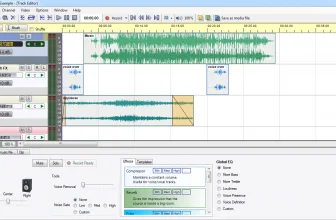
This MP3 Cutter software is a piece of software that has proven to be far more useful than I ever thought it would be! You can download this for free and if you want a quick, straightforward and best of all easy way to edit music and video files this is the perfect thing for you.
How to Download MP3 Cutter
You can download the program by following the link below the reviews. If you like playing with MP3 files, try out also Reeza MP3 Converter.
The Program Review
I would say that most people who use this will be dealing with MP3’s. However, this does support a ton of other formats besides MP3. MP4, WMA, WMV, AVI, and MOV are just a small example of the over 40 video and audio formats that this software can let you mess around with. It is a safe bet that whatever your file is, more than likely this will have your back.
Core Features and Everyday Workflow in MP3 Cutter
So, what exactly would you want this for? Well, I am sure there are many people who want to edit videos and do song production and such. For me, it was much simpler. I wanted to take a song I like, cut out a little bit of it so that I could use it as my ringtone and this lets me do that. Not only that, it lets me do this very easily and quickly with no messing around.
Another example is if you download a YouTube video and only want to use a tiny bit of it. It could be for a presentation or something fun, but you can just cut out the bit you want and save that as its own file. This is also a great way for cutting out annoying adds on videos! Which I am sure comes in very handy for those that want to use a snippet of a video.
Interface Clarity, Speed, and Windows Compatibility
For more tested utilities in this category, see our reviews of Medieval CUE Splitter 1.2 and Sound Recorder Professional 1.24 for Windows. You can also explore our full guide and specs for Shimeji.
The way that the MP3 Cutter software works could not be any easier. Let’s use MP3 as an example of how it works. You basically load your MP3 file into the software. You then select a start point and end and point and that is all there is to it. You can then save this file as something new and use it to do what you want with.
From the messing around with the software that I have done, video files work the exact same way. While I personally do not really do what you would call “video editing” this lets you take little parts of videos very easily. I could actually see this as a rather basic way for someone to put their foot in the deep end that is video editing.
In all the MP3 Cutter software is something I am glad I downloaded. Look, I may just use this to make ringtones for my phone, but it is the best software I have come across to do that. It is very simple to use; it works super-fast and it is not going to cost you a penny. This is a great bit of software to have on your computer!
System Requirements & Key Features
Check the baseline Windows hardware specs, developer details, and license profile for MP3 Cutter before installing.
| Specification | Minimum | Recommended |
|---|---|---|
| Operating System | Windows 7 / 8.1 / 10 (32-bit or 64-bit) | Windows 10 / 11 (64-bit) |
| Processor | 1.0 GHz Intel / AMD Dual-Core | 2.0 GHz+ Multi-Core CPU |
| Memory (RAM) | 2 GB RAM | 4 GB+ RAM |
| Free Disk Space | 15.2 MB installer + 300 MB free space | 1 GB+ SSD free space |
| Developer & License | MP3 Cutter Developer Team (demo) | Latest verified Windows build |
For a complementary desktop tool in the same Windows workflow, check our full review and requirements for iBackup Extractor.
For a complementary desktop tool in the same Windows workflow, check our full review and requirements for Sandboxie Plus 1.18.8.
Readers exploring similar releases can also check our full breakdown and requirements for Rename Master 4.05.
For a complementary desktop tool in the same Windows workflow, check our full review and requirements for Actual Title Buttons 8.15.4.
For a complementary desktop tool in the same Windows workflow, check our full review and requirements for UpdateStar Drivers 18.0.0.
For a complementary desktop tool in the same Windows workflow, check our full review and requirements for Auto Email Sender.
For a complementary desktop tool in the same workflow, check our full review and requirements for Free Firewall 2.6.2.
Frequently Asked Questions
What is MP3 Cutter and what are its main features?
MP3 Cutter is a simple audio utility that will let you divide your MP3 files. It might come in handy if you want to create a nice phone ringtone. You can download this for free and if you want a quick, straightforward and best of all easy way to edit music and video files this is the perfect thing for you, developed by MP3 Cutter Developer Team.
What operating systems does MP3 Cutter support and how large is the installer?
MP3 Cutter supports Windows Me, Windows 2000, Windows XP, and Windows Vista, with a compact package size of roughly 15.2 MB. Official downloads and release information are available via mp3cutter.org.
What are the main advantages and limitations of MP3 Cutter?
Key highlights include lets you cut pieces of video and audio, it is very easy to use, and free to download. Limitations noted during evaluation include make sure it supports the video or audio format you want to use. Overall editorial score: 9/10.